Used aniPet Koi LiveWallpaper for Android?
aniPet Koi LiveWallpaper Analysis
AI Assisted Content ·
Not written by CNET Staff.
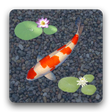
aniPet Koi Live Wallpaper is a dynamic personalization application designed for Android devices, enabling users to create a simulated koi pond experience. The app features an engaging environment where users can select from a variety of koi species, with 15 koi available out of a total of 30 species. Users can observe the koi as they swim around lily pads, enhancing the visual appeal of their device while providing a serene atmosphere. The app includes options for feeding the koi and watching them mature, which may lead to the birth of baby koi, contributing to the immersive experience.
Top Recommended Alternative
In addition to koi selection, aniPet Koi Live Wallpaper offers customizable settings that enhance user interaction. Users can adjust various parameters such as koi movement speed, growth rate, food types, and the appearance of lily pads. The app also features random animations of dragonflies and butterflies, further enriching the visual experience. However, it is important to note that the application is only compatible with devices that support live wallpapers, and the free version limits users to two koi without customization options, though it provides a two-day trial of the full features.
Used aniPet Koi LiveWallpaper for Android?
Explore More

PitchBlack - Substratum Theme For Oreo/Pie/10
Paid
Launcher Lab
Free
SF Launcher 2
Free
Iron Maiden - Ringtones
Free
iOS 13 Icon Pack Pro & Free Icon Pack 2019
Free
Ananya Pandey Fan App
Free
Theme TouchPal Frame Blue
Free
GO SMS LOVE NIGHT THEME
Free
Marble Maze Wallpaper Game
Paid
Depression Quote Wallpapers
Free
Pencil Fonts for FlipFont
Free
RE66 - Minimal Classic Analog
Paid











