Used AlsoGet Free for Windows?


AlsoGet Free Analysis

AI Assisted Content ·

Not written by CNET Staff.

AlsoGet Free is a free software application designed for Windows that enhances the user experience by offering an array of screensavers and wallpapers. This utility allows users to personalize their desktop environment with a variety of high-quality visuals, making it easy to refresh their workspace. The app provides a user-friendly interface that simplifies the process of selecting and applying wallpapers and screensavers, catering to different aesthetic preferences.

Top Recommended Alternative

One of the main features of AlsoGet Free is its extensive library of wallpapers and screensavers, which includes various categories and styles. Users can browse through collections, preview options, and set their favorites with just a few clicks. Additionally, the application supports automatic wallpaper changing, allowing for a dynamic desktop experience. Overall, AlsoGet Free serves as a practical tool for users looking to customize their Windows desktop with ease.


Enlarged image for AlsoGet Free
AlsoGet Free 0/1

Used AlsoGet Free for Windows?


Explore More


Full Specifications

GENERAL
Release
Latest update
Version
3.1
OPERATING SYSTEMS
Platform
Windows
Operating System
  • Windows 7
  • Windows ME
  • Windows Vista
  • Windows XP
  • Windows 10
  • Windows NT
  • Windows 2000
  • Windows 2003
  • Windows 98
Additional Requirements
None
POPULARITY
Total Downloads
112
Downloads Last Week
0

Report Software

Program available in other languages


Last Updated


Developer’s Description

Record running programs, folders, Web pages, recent documents and save them as a tree view.
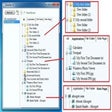
AlsoGet is a Windows Version of Fast Desktop Assistant. AlsoGet is a fast desktop assistant that can record all the running programs, folders, web pages, recent documents, recent folders, automatically classified as a tree structure, and easy to re-open at any time. You can Add files to, Send files to, Copy an Paste files from Windows Explorer, Desktop, Start Menu, Web Browser. Record running programs, folders, web pages, recent documents (create shortcuts),and save as tree view. Replay running programs, folders, web pages, recent documents. Smart record: Intelligent recording the new running programs, folder, web pages, recent documents. Add applications, files, folders from the context menu. Drag and drop applications, files, folders, web pages. Copy and paste applications, files, folders, web pages. Replay all selected documents when windows start.

Download.com
Your review for AlsoGet Free
Download.com

AI Assisted Content Disclosure

Content created and reviewed by Softonic with information obtained from AlsoGet, using AI.

CNET's editorial team was not involved in the creation of this content. Opinions, analysis and reviews were not provided by CNET.










