Used AliveMon for Windows?


Editors’ Review

Download.com staff
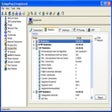
AliveMon provides essential network monitoring with application-specific probes. It alerts you to server failures, enables automated actions, and saves you valuable time.
  • Pros

    • Detects server and router failures accurately
    • Configurable alarms for quick problem resolution
    • Automated corrective actions via program startup
    • Application-level probes ensure true service status
    • Reduces manual system checking time
  • Cons

    • Free version monitors only a single system

Used AliveMon for Windows?


Explore More


Full Specifications

GENERAL
Release
Latest update
Version
2.0.102
OPERATING SYSTEMS
Platform
Windows
Operating System
  • Windows 2000
  • Windows XP
  • Windows 10
Additional Requirements
None
POPULARITY
Total Downloads
328
Downloads Last Week
0

Report Software

Program available in other languages


Last Updated


Developer’s Description

Monitor your network's status using application-specific probes.
AliveMon is a network monitor that lets you know when servers or routers fail. Configurable alarms enable you to quickly solve problems before they turn into real headache. You can even automatically take corrective actions by auto-starting programs. Application-specific probes let you check the actual status of your application (like web or game servers). Many other tools just do a ping, which only lets you known if the system itself is powered on. But ping won't tell you if the web server is really alive. Only an app-level probe can do this. Save a lot of time: no more periodic checking necessary. Simply configure AliveMon and forget about it. AliveMon will let you know when it is time to look at the system. AliveMon is free to monitor a single system.

Download.com
Your review for AliveMon