Used AgeLens: AI Face Age Filter for Android?
Editors’ Review
Transforms selfies along an interactive timeline, showing faces from age 18 to 80+ with a real-time slider and animated transitions. MAK APPS builds this Android photography tool to apply AI-driven aging and stylistic era looks. It includes automatic age detection, an interactive age timeline, Lifestyle Labs, Time Travel era filters, and one-tap social sharing integration. The app fits social media creators and photography hobbyists who want believable, shareable age progressions and playful historical styling.
AgeLens turns single selfies into decade-spanning visual experiments
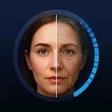
AgeLens converts a single portrait into a smooth age progression, using an interactive age timeline that covers younger regression from 18 up through 80+. Unlike other simple filters, the tool applies wrinkle patterns, age spots, and facial maturity while keeping the subject recognisable, a capability the developer highlights as proprietary. The result targets creative uses like social posts and playful portrait studies rather than clinical analysis.
How does it handle privacy and device compatibility?
The developer designs processing to happen in a local-style workflow, so images are handled without unnecessary long-term server storage. That privacy-centric approach pairs with an Android-only release that requires Android 7.0 or higher to support the on-device AI workload. Social sharing integration is built in, so edited results save and upload directly from the device once processing completes.
Is the interface approachable, and how does the age slider work?
Automatic age detection scans facial landmarks to set a starting point, then the interactive slider applies continuous transformations across decades. Controls are centred on the selfie view with instant preview feedback, and additional modules called Lifestyle and Face Architecture Labs let users experiment with how lifestyle variables affect appearance. Onboarding is immediate for casual users because the slider gives instant visual results without menu diving.
How good are the aging effects and era filters in practice?
Rendering focuses on preserving facial identity while adding realistic aging cues; user feedback cited in the source praises the realism and smooth slider function. What's more, Time Travel filters layer vintage styling over the aged portrait for period looks as well as biological progression. On compatible hardware, transformations complete quickly enough for interactive exploration, which supports iterative creative play rather than batch production workflows.
Pros
- Interactive age timeline offers real-time decade transitions
- Maintains facial identity during heavy aging transformations
- Local-style processing emphasises user privacy on-device
- Includes Time Travel era filters and Lifestyle Labs
Cons
- Only available on Android devices, no desktop release
- Not designed for biometric or clinical-grade age analysis
- Requires Android 7.0 or later for AI processing support
Bottom Line
In conclusion, AgeLens suits social creators seeking believable, playful portrait transformations
AgeLens is a creative tool that rewards experimentation and rapid iteration, making it a good match for content creators and hobby photographers who want shareable, stylised portraits. For users who need biometric-grade age measurement or cross-platform desktop workflows, the app's entertainment-focused scope and Android-only availability limit professional adoption.
Used AgeLens: AI Face Age Filter for Android?












