Used Adding Machine Free: 10 Key Calc for iOS?


Adding Machine Free: 10 Key Calc Analysis

AI Assisted Content ·

Not written by CNET Staff.

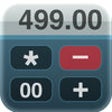
Adding Machine Free: 10 Key Calc is a productivity app designed for iPhone users, focusing on business applications. This calculator features a traditional 10-key layout, making it intuitive for users accustomed to standard adding machines. The app allows for quick calculations, ideal for professionals who require efficiency in their financial tasks or daily computations.

Top Recommended Alternative

In addition to basic arithmetic functions, Adding Machine Free offers features like memory storage for calculations, enabling users to save results for later use. The interface is straightforward, ensuring that users can navigate easily without unnecessary distractions. This app is particularly useful for those who need to perform frequent calculations on the go, blending essential functionality with user-friendly design.

Enlarged image for Adding Machine Free: 10 K…
Adding Machine Free: 10 Key Calc 0/1

Used Adding Machine Free: 10 Key Calc for iOS?


Explore More


Full Specifications

GENERAL
Release
Latest update
Version
5.6kb
OPERATING SYSTEMS
Platform
iOS
Operating System
iOS 12.1.2
Additional Requirements
Compatible with: iphone3gs, iphone3gs, ipadwifi, ipadwifi, ipad3g, ipad3g, ipodtouchthirdgen, ipodtouchthirdgen, iphone4, iphone4, ipodtouchfourthgen, ipodtouchfourthgen, ipad2wifi, ipad2wifi, ipad23g, ipad23g, iphone4s, iphone4s, ipadthirdgen, ipadthirdgen, ipadthirdgen4g, ipadthirdgen4g, iphone5, iphone5, ipodtouchfifthgen, ipodtouchfifthgen, ipadfourthgen, ipadfourthgen, ipadfourthgen4g, ipadfourthgen4g, ipadmini, ipadmini, ipadmini4g, ipadmini4g
POPULARITY
Total Downloads
101
Downloads Last Week
0

Report Software

Last Updated


Developer’s Description

'Adding Machine: 10 Key Calc' behaves like a true '10 Key' or 'printing calculator' such as those made by Monroe, Casio, Sharp and others. A total...
'Adding Machine: 10 Key Calc' behaves like a true '10 Key' or 'printing calculator' such as those made by Monroe, Casio, Sharp and others. A total is obtained by pressing the asterisk (*), operator entry is reversed, and percentages are obtained by multiplying and adding to a stream of numbers. PLEASE SEE THE 1ST FAQ BELOW.Adding Machine features dual keypads with a total (*) key on either the left or right side (Sharp or Canon style). Also. Review & edit numbers, add or delete lines. Save & retrieve paper tape files. Export paper tape files to iBooks, Dropbox, Email or your favorite printing utility (see the FAQs).Free Version Description==================This is the full version of Adding Machine: 10 Key Calc, but with a reduced number of paper tape lines & some other limitations. You can find the full version by searching for 'Adding Machine: 10 Key Calc' by Richard Silverman in the App Store. ==== Recent Press =====Currently featured in iTunes "What's Hot" in the Finance Category for iPad.Strategic Finance (Tools of the Trade): "If you're looking for a professional desk calculator that can give you full 10-key accounting functions with a tape you can name and save, edit, e-mail, or print, check out Interlocken's 10 Key Adding Machine app."=================Specifications:================= Behaves the same as a '10 Key' adding machine. Export a PDF file to iBooks, DropBox, Email, or your favorite printing utility. Select from a menu of keypad sounds. 400 lines of paper tape history (full version) 3 display formats: fixed, fix+, float Save paper tapes to disk for later use. Correct numbers, add comments, add/delete lines Use your voice to dictate comments (iOS 7 and greater) Two keypads offer the 'total' key on the left or right (Sharp or Canon style) Comprehensive set of help screens. International number formatting (Settings -> General -> International -> Region Format -> select region). ================FAQsQ1. What is the difference between 'Adding Machine: 10 Key Calc' and 'Accountant Calculator' in the App. Store.?A1. Both are single-column adding devices and both have iPad versions with full size 1:1 keyboards. '10 Key' behaves the same as a 10 Key Adding Machine with reversed operator entry while Accountant Calculator supports the free chaining of +, -, x, /, %, , 1/x and is easier to use if you are not familiar with how a '10-key' works.You can also reference the following link:http://www.tenkeycalculators.com/addandsubtract.htmlQ2. Can I touch-type?A2. Checkout the iPad version with large (1:1) keyboards and several aids for touch-typing.Q3. How can I quickly clear the paper tape?A3. The quickest way is to double-tap the calculator's large "i" action icon to the left of the calculator's LCD display.Q4. How can I edit an incorrect number or add & delete lines from the paper tape?A4. Touch any line of the paper tape to go into edit mode. Touch the side controls: Add Line, Delete Line. You can also edit numbers. Press Done to return to Calculator mode.Q5. How can I have my 'total' key be on the right side?A5. Press the checkerboard icon on the left side of the paper tape until the keypad you want is displayed. There are three to choose from.Q6. Tell me about Email, Printing, and Exporting a Paper Tape. A6. From the Export dialog, select from: Email, Print, Copy or Open-In.Email includes a pdf attachment. Print requires an AirPrint capable printer. Open-In will cause a menu of 3rd party Apps to appear that can receive a hardcopy of your paper tape; for example, iBooks, DropBox, and 3rd party printer Apps for Brother, HP, Epson, Canon and more. With these print directly to a network reachable printer (even if it is NOT AirPrint capable).

Download.com
Your review for Adding Machine Free: 10 Key Calc
Download.com

AI Assisted Content Disclosure

Content created and reviewed by Softonic with information obtained from Interlocken Technology, using AI.

CNET's editorial team was not involved in the creation of this content. Opinions, analysis and reviews were not provided by CNET.