Used Reply To All Monitor for Microsoft Outlook (64-bit) for Windows?
Editors’ Review
Download.com staff
Pros
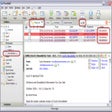
- Prompts user before sending a Reply All email.
- Automatically removes sender's address from recipient list.
- Enables full customization of the warning prompt text.
- Provides independent control for each monitoring feature.
- Integrates directly into the Microsoft Outlook interface.
Cons
No Cons available
Used Reply To All Monitor for Microsoft Outlook (64-bit) for Windows?
Explore More

Add Email Address for Microsoft Outlook (64-bit)
Trial version
Duplicate Appointments Eliminator for Outlook 2007/Outlook 2010 (32-bit)
Trial version
Appointments By Email for Outlook 2010 (64-bit)
Trial versionAttachment Save for Outlook 2010 (64-bit)
Trial versionContacts Sort Order for Outlook 2010 (64-bit)
Trial versionAttachment Forget Me Not for Microsoft Outlook (64-Bit)
Trial version
Advik EML to Gmail Import
Trial version
New Mail Plus
FreePocoMail
Trial versionOutlook Express Recovery Kit
Trial version
iCal4OL
Trial version
Advanced Windows Mail Recovery
Trial version