Used PE Explorer for Windows?


Editors’ Review

Download.com staff
PE Explorer offers comprehensive tools for viewing and modifying 32-bit Windows executables. It provides advanced features for resource editing, header inspection, and reverse engineering.
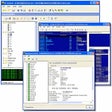
Enlarged image for PE Explorer
PE Explorer 0/1
  • Pros

    • Visual resource editor included
    • Automatic UPX and Upack unpackers
    • Exported and imported API function viewer
    • Digital signature and dependency scanner
    • Built-in disassembler for analysis
  • Cons

    • Requires administrator info for forced execution
    • Limited to 32-bit executable formats

Used PE Explorer for Windows?


Explore More


Full Specifications

GENERAL
Release
Latest update
Version
1.99.6
OPERATING SYSTEMS
Platform
Windows
Operating System
Windows 11
POPULARITY
Total Downloads
276,392
Downloads Last Week
9

Report Software

Program available in other languages


Last Updated


User Reviews

4.3/5

6 User Votes


Developer’s Description

View and modify the internal structure of 32-bit Windows executables, including resources.

PE Explorer provides a UI for exploring and editing the contents of EXE, DLL, ActiveX controls, and other 32-bit executable file formats. PE Explorer comes with a visual resource editor, PE header viewer, automatic UPX and Upack unpackers, exported and imported API function viewer and syntax lookup, digital signature viewer, dependency scanner, and a disassembler. With PE Explorer, you can apply a professional approach to research and reverse engineering of win32 PE executable files. PE Explorer also allows you to remove both debugging information and the base relocation table from an executable, patch a pre-existing binary exe to inject the require administrator info into it so that it would be forced to run as administrator on Windows Vista, providing the application the same operational behavior as in Windows XP.


Download.com
Your review for PE Explorer