Used 4G Hotspot for Android?
4G Hotspot Analysis
AI Assisted Content ·
Not written by CNET Staff.
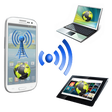
4G Hotspot is a free Android application designed to allow users to share their 4G mobile data connection with other devices. It enables smartphones to act as a hotspot, facilitating internet access for laptops, tablets, and other devices lacking 4G capabilities. The user-friendly interface ensures that even those with minimal technical knowledge can easily set up and manage their connection. With seamless connectivity, users can enjoy faster internet speeds across multiple devices, making it an essential tool for those on the move or in need of reliable internet access.
Top Recommended Alternative

This application operates by transforming a smartphone's 4G connection into a Wi-Fi hotspot, which can then be accessed by nearby devices. The simplicity of its design means users can quickly connect their devices without complicated configurations. Ideal for travel or situations where Wi-Fi is unavailable, 4G Hotspot offers a practical solution for maintaining internet connectivity across various devices, all while being freely available on the Android platform.
Used 4G Hotspot for Android?