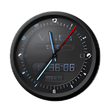
Even without extensive features, nthClock is a big step up from the Windows built-in clock. It provides several attractive display options and shows the date and time in 12-hour or 24-hour formats or as a percentage of the day. You can set as many alarms as you want and have them go off once or repeatedly, at any interval you desire. While you have full flexibility on the alarm's reminder message, you can only choose from nthClock's eight built-in sounds. We missed features found in higher-end clocks, such as snooze, audio-file selection, and synchronization. But while some might prefer a more capable program, those looking for an easy-to-use clock will certainly find this freeware sufficient.
Quick & easy, just what I was looking for. Simple and unobtrusive. GREAT price, too! (Free)<p>If you put your own wav files in the /sounds directory and restart the program, it will list them as options.
Cons
Limited number of font sizes, no MP3 support, date is always smaller than the time (separate font control for date would be nice). Also, no transparency or title-bar hiding options. Can't turn off the seconds display.
Summary
love program--dislikememory it hogs. Sfw neds condensing
madmonty
Pros
Great piece to have on laptop as well a home PC. Set for kids alloted play time and forget clock watching.
Cons
Sems to hog memort areas vital to me. fw could probably be condensed some.
Summary
It's simple. I can customize it. Fantastic!
acmrqrdt
Pros
I can easily turn off the clock (all I wanted was alarm/reminder software).
<p>
<p>It is easy to set up new alarms.
<p>
<p>The alarms can be snoozed, and they go away while in snooze mode (I hate a snoozing event that just hangs out on my screen).
Cons
In the snooze dialog, being able to select 5 minutes, 9 miutes, etc., would be nice (instead of just selecting the time I want the alarm to go off again).
<p>
<p>Instead of having to use "reset" to snooze a bit longer, showing the snooze button on snooze events would be nice.
Summary
Has everything I need and more
KomputerKat
Pros
I really like this little clock; I've been wanting something like this for a long time. You can change the colors, as well as alarm sounds, move it, set daily or year-long alarms (etc) & shut it off = and it's intuitive (didn't need instructions). It also incl. the date, which was a nice surprise, as that is also something I've wanted for along time (know the date instantly). You can set several "regularly scheduled" alarms (for me= "it's midnight! time to go to bed"). And when you start up your computer, a nice "reminder" box appears so that you can set an alarm for that day! ok, again, something I've wanted for a long time. (me="hey, it's lunch time!"- "3pm-leave for meeting!") As you can see I'm a bit of a workaholic and this is going to change my life! plus, it's free! thanks Anthemion software people!
Cons
No cons really, but if I HAD to chose one, it's that the clock is 3/4" tall, but if you want to incl. the company name, time and date, it's got to be big enough for it all, I guess. Also, I would like to be able to shut off the "seconds" (12:39:26pm).