• On TechRepublic: Twitter: Under attack
advertisement

iNET Grabber 1.2

Download Now (314.5K)
Tested spyware free

Features

  • License:

    Free to try; $9.95 to buy

  • Editor's Rating:

    3.0 stars

  • Average User Rating:

    Be the first to rate this product!

  • Downloads:

    3,200

  • Operating Systems:

    Windows 95, Windows Me, Windows XP, Windows 2000, Windows NT, Windows 98

  • Additional Requirements:

    Windows 95/98/Me/NT/2000/XP, Visual Basic Runtime Module 6.0

  • Limitations:

    Nag screen

  • Date Added:

    May 16, 2006

  • Previous Versions:

Publisher's description of iNET Grabber

From Aldo Vargas:

A powerful Internet content grabber that lets you automatically download web server contents off the net, extract specific information and integrate data from multiple pages for your later review, reduce download size or for transfer to portable devices, by simply placing all the 'Content Filters' you want fetched into one directory and pressing a button, or using the command line.

Version 1.2 improves filter editor, expression evaluator, and support for multiple pages processing.

See more CNET content tagged:
Stryon iNET,
Web server,
button,
filter
Share photos and videos directly to the desktop.

Editor's review of iNET Grabber

  • 3.0 stars

  • "iNET Grabber"
  • Version reviewed: iNET Grabber 1.2

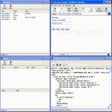
Experienced users will get the most from this tool to save and view Web pages offline, although they may not be willing to pay for such simple functionality. iNET Grabber's plain interface holds only a few icons over a set of links to text files that are all labeled as samples. You can view each one, but the samples use the publisher's Web page and you don't really have any context for what you're viewing. The online Help file is too brief for the novice user to understand this program, especially since some of it is only code for creating different filters.

Program operations starts with the Filter button, even if you aren't going to apply any restrictions to the URLs you save offline. Users are directed to a plain window that requires a filter name, source URL and, confusingly, a Save As name. The filter content options are limited, but also presented with no user instruction. Less experienced testers were able to save and view URLs offline, but only without applying any filters.

The buttons for Filter Images, Filter Scripts, and Filter iFrames sit over two fields, Find Text and Replace With. They're grayed out until you click one of the filter options. The information isn't saved if you enter information for one filter and then choose another filter button. Apparently you can't apply more than one type of filter to a URL. Even a little user instruction would prevent users from having to figure out such simple steps. A positive step saves filter instructions in an easily editable plain text file. Users will need to study the code functions to make any changes.

There's a nag screen, but no other restrictions. Users expect limited user guidance in freeware, but even an inexpensive tool should have better instructions than this program. iNET Grabber is not for the novice, and experienced users will require more functionality than this tool has to offer.

More popular Offline Browsers downloads

  1. 748 downloads 1. WinWSD WebSite Downloader
  2. 469 downloads 2. MM3-WebAssistant Private
  3. 337 downloads 3. WebCopier
  4. 260 downloads 4. Offline Explorer Pro
  5. 219 downloads 5. Web site Ripper Copier
  6. See all Offline Browsers downloads
Recover deleted files, perform unformat recovery and corrupt drive recovery.

User reviews

Write your own review Be the first one to review iNET Grabber 1.2 and share your experience with the CNET community!

Submit your review

Log in or create an account to submit your review for:

iNET Grabber 1.2

ORLog in with your Facebook account
1. Rate this product:
(Mouse over the stars to rate this product and click to set your rating.)
2. One-line summary:(Summarize your review in one line. 10 characters minimum; required.)
0 of 55 characters
3. Pros:(Tell us what you like about this product. 10 characters minimum; required.)
0 of 250 characters
4. Cons:(Tell us what you don't like about this product. 10 characters minimum; required.)
0 of 250 characters
Bottom-line summary:(Explain to us in detail why you like or dislike the product, focusing your comments on the product's features and functionality, and your experience using the product. This field is optional.)
0 of 5000 characters

The posting of advertisements, profanity, or personal attacks are prohibited.
Click here to review our site terms of use.

Submit

You must be 13 years of age or older to submit personal information to CNET Networks. In compliance with the Children's Online Privacy Protection Act of 1998, CNET Networks does not accept name and e-mail address information from users who are under 13 years of age.

All submitted ratings and written comments become the sole property of CNET Networks, Inc. (CNET) and may be used at CNET Networks' sole discretion. Ratings and written comments are generally posted within two to four business days in batch groups, not in real time. However, CNET Networks reserves the right to remove or refuse to post any submission for any reason. You acknowledge that you, not CNET Networks, are responsible for the contents of your submission.

CNET Networks is not responsible for the content of the publisher's descriptions or user reviews on this site. We encourage you to determine whether this product or your intended use is legal. We do not encourage or condone the use of any software in violation of applicable laws. CNET Download.com does not sell, resell, or license any of the products listed on the site. We cannot be held liable for issues that arise from the download or use of these products.

advertisement