CNET Editors' review
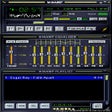
WinAmp 5.3 took some long-needed steps to improve the old-school media player, with support for AAC encoding, CD burning, and a robust file-management system. WinAmp 5.56 ups the ante with strong support for portable devices, including iPods, the ability to sync non-DRMed files to your PC from your device, an optional new interface layout and a built-in browser for media discovery.
We liked that clicking on an artist's name will get you related headlines and Web sites in a separate pane. There's also Podcast support, device synchronization that lets you tweak the sync list while in progress, and continued support for AOL's excellent Shoutcast. The new Bento layout is worth mentioning, too, because it gets the venerable llama away from the old modular format. The joined panes for the browser, media player, artist list, album list and more make WinAmp instantly more visually appealing. There's also an Auto-Tag feature, which will download metatags from the Gracenote database, and Winamp's proprietary music scrobler called Orgler, with links back to AOL Music.
If you want MP3 encoding and full-speed CD burning, you have to shell out $19.95 for the Pro version. However, there are other problems. Automatic album art download support is spotty at best. More importantly, there are some stability issues when playing videos, and occasional program crashes were far more common than they should be.
WinAmp 5.56 is no iTunes killer--not yet. It has become, however, a strong alternative and should be of interest to those looking for something with more meat on its bones. Llama meat, that is.
Winamp - Play audio and video files - Download Video Previews:Publisher's Description
From Nullsoft:
Winamp is a free multimedia player made by Nullsoft. It supports numerous audio and video formats. It also plays streamed video and audio content, both live and recorded, authored worldwide. It has an extremely customizable media library, and allows you to rip and burn your favorite music CDs. Winamp has thousands of skins and plug-ins that allow you to change the look-and-feel of the player, as well as add new features. The player also has access to thousands of free songs, videos and online radio stations from SHOUTcast Radio and AOL Radio with XM.
More Products to Consider
- Play video and audio files, convert to other file formats, burn...Download
Installed
Smart Install - Mix, scratch, and remix MP3 or music videos live.Download
Installed
Smart Install - Convert CDs to MP3, WMA, WAV, OGG, FLAC formats, convert audio ...Download
Installed
Smart Install - Burn the files and images on CD and DVD discs.Download
Installed
Smart Install - Convert DVD movies to all the popular video or audio formats wi...Download
Installed
Smart Install - Turn buttons on wireless/cordless mouse into remote control and...Download
Installed
Smart Install - Cut desired parts from your MP3 files.Download
Installed
Smart Install - Get fast and flexible digital-media playback with access to sma...Download
Installed
Smart Install - Listen to your favorite music in MP3 format on your Palm handhe...Download
Installed
Smart Install - Rip CDs, convert audio files, and burn discs easily.Download
Installed
Smart Install - Play and manage your MP3 files.Download
Installed
Smart Install - Discover and play online videos, download, save, organize, and ...Download
Installed
Smart Install - Emulate up to 18 DVD/BD drives.Download
Installed
Smart Install - Play and store music in multiple formats.Download
Installed
Smart Install - Create, edit, burn, mount, and encrypt CD, DVD, and BD image fi...Download
Installed
Smart Install - Browse throught your MP3 files as if they were real CDs and pla...Download
Installed
Smart Install - Convert M4A/AAC into MP3/WAV format.Download
Installed
Smart Install - Manage the database and play your favorite music files while di...Download
Installed
Smart Install - Convert and backup DVDs to AVI, DivX, iPod, iPhone, iPad, WMV, ...Download
Installed
Smart Install - Play your favorite music files via a small widget.Download
Installed
Smart Install - Download YouTube videos and convert them into MP3 files.Download
Installed
Smart Install - Play music in mp3 format.Download
Installed
Smart Install - Listen to music using player with unlimited download service.Download
This download is served from an external site
closeLEGAL NOTICE: This link will take you to a third-party website. Downloading copyrighted materials without authorization or providing others with copyrighted materials for them to download without authorization may put you at risk for legal action under copyright law in the United States and other countries. CNET discourages the use of software for any unlawful purpose
Sponsored Products
Installed
Smart Install - Copy DVD to iPod, iPhone, 3GP, PSP, Zune, HD TV, AVI, Divx, Xvi...Download
Installed
Smart Install
-
All versions:
3.9 starsout of 1,496 votes
-
Current version:
3.8 starsout of 11 votes
-
My rating:
Write review
-
"Best media player on the market!"
Version: Winamp 5.63
Pros
Easily customizable, plays plenty of file types including FLAC. It has 24-bit support for my sound card(HT|Omega Striker 7.1). Winamp includes a built in equalizer, visualizer, ability to install skins and addons. It's best feature is speed, the searches are extremely fast and easily refreshes my library of 85,000 songs. No other media play has handled all of my songs anywhere near as well as Winamp has - they slow my computer to a crawl when adding the songs and searching is a pain. It is also the ONLY media player than can play PROTECTED iTunes media files - this requires downloading a dll file. It starts up fairly quickly compared to iTunes, Spotify, and Windows Media Player but is not as fast as VLC. It also has a built in internet browser and its own version of the Last.FM scrobbler and can download podcasts. The options for Winamp are endless, making Winamp the best choice for a media player.
Cons
Does not support as many codecs as VLC, sometimes freezes when playing large files such as blue ray's or mkv files. The organization of the program after your first install can be confusing but can easily be fixed by dragging the bars around and adding columns. After a complete scan of files, Winamp does not refresh the updated song database unless you scan for deleted songs or restart the program. It would be nice if it automatically downloaded album art but I am sure there is an addon for that.
Summary
Give this program a try! It is definitely worth paying for the Pro version - support the developer! There are a ton of addons for the program, making it support more file types than from its original install.
Here are the links for the dll files - I would just download both and you need to have iTunes and Quicktime installed http://forums.winamp.com/showthread.php?threadid=157475
http://forums.winamp.com/showthread.php?postid=1344136#post1344136 -
"A excellent AV player for windows."
Version: Winamp 5.63
Pros
Very comprehensive GUI and help functions. Good fidelity. Very stable. Extensive set of plugins & options available.
Cons
A little awkward to use at first. Requires son patience, to get it to work the way you want it.
Summary
Both the freeware & shareware versions are available. Give Winamp a shot, you may really like it.
-
"Winamp 5.63 - Excellent Media Player."
Version: Winamp 5.63
Pros
Much better than Windows Media Player with more user interface. Easier to move things around and no problems playing MP3 music, even downloads, as I was having with Windows. Hadn't tried Winamp before it was recommended to me and I'm glad it was. I have now recommended it to others.
Cons
Slightly confusing at first, especially with the separate components but doesn't take long to get the hang of it.
Summary
Overall an excellent device with many options and very easy to import your music etc from Windows Media Player or the web. Good fun learning how to use it. Highly recommended.
-
"Appalling and wouldn't uninstall"
Version: Winamp 5.63
Pros
It has any?
Cons
Partly my fault, I wanted a media player and it does say "play and organise". I'm quite capable of organising my stuff on my own thanks.
Also it didn't have the codecs I wanted and which I specified when I was looking for a player, more CNET's fault I suppose.
Then, after a frustrating fight with it because it wants to do things it's way (If I wanted an Apple I'd buy one) it wouldn't uninstall. I had to manually delete files, use task manager to stop running files and then use a registry cleaner to remove the hundreds of entries it left behind, many of which I did NOT want installed in the first place, including Firewall exceptions when I had specified NO online services on install.Summary
Definitely not for me.
-
"My all-time favorite"
Version: Winamp 5.63
Pros
works smoothly
good looking player
winamp pro worth the bucksCons
needs few more codecs
Summary
Fabulous
-
"Works extremely well but I can not find my Shoutcast."
Version: Winamp 5.63
Pros
Play and lets you organize dozens of formats.
Cons
none found
-
"Great software"
Version: Winamp 5.63
Pros
Did everything I needed in a media player
Cons
None that I could see
Summary
I tried several media players and had a hard time finding one that would make playlists for a walkman. Winamp worked the best for that purpose.
-
"Have used Winamp for years. As good today as always"
Version: Winamp 5.63
Pros
Does what it says on the tin
Cons
Can find apps with more gadgets but who needs them
Summary
Excellent
-
"Perfect Software"
Version: Winamp 5.63
Pros
Very light on processor, works smooth
Cons
All good, no bugs
-
"Almost there"
Version: Winamp 5.63
Pros
Wireless sync with Android
Cons
No mp3 burning
Summary
As soon as they add mp3 burning, I can finally get rid of iTunes.
Add Your Review
Submit your reply
E-mail this review
Report offensive content
See more CNET content tagged:
Previous Versions: