Publisher's Description
From WhizSoftware:
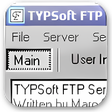
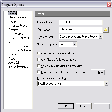
If you regularly upload or download files and directories between your computer and a FTP server then Whiz FTP is for you. It is very easy to use; people who have never used FTP before will feel at ease while using the Whiz FTP. Whiz FTP Features include: full drag & drop and copy & paste support; a passive/active transfer mode; changing mode (CHMOD) of files and directories; the ability to perform recursive downloads, uploads, and deletes.
More Products to Consider
- Download and convert videos from video streaming sites.Download
Installed
Smart Install - Download YouTube videos and convert to multiple formats.Download
Installed
Smart Install - Increase your connection speed and recover broken downloads.Download
Installed
Smart Install - Convert over 20M YouTube to MP3 music clips and ringtones.Download
Installed
Smart Install - Download and convert videos, including YouTube to MP3, M4A, FLV...Download
Installed
Smart Install - Download and manage torrent files.Visit Site
This download is served from an external site
closeLEGAL NOTICE: This link will take you to a third-party website. Downloading copyrighted materials without authorization or providing others with copyrighted materials for them to download without authorization may put you at risk for legal action under copyright law in the United States and other countries. CNET discourages the use of software for any unlawful purpose
Sponsored Products
- Download free videos from YouTube, Google, Yahoo, Facebook.Download
Installed
Smart Install - Upload and download files using FTP, FTPS, or SFTP.Download
Installed
Smart Install - Upload and download files using FTP, FTPS, or SFTP.Download
Installed
Smart Install - Convert multiple Youtube videos to various formats.Download
Installed
Smart Install - View and edit most graphics formats simply and quickly.Download
Installed
Smart Install - Upload and download files using FTP, FTPS, or SFTP.Download
Installed
Smart Install - Detect and quickly remove malicious threats to your computer.Download
Installed
Smart Install - Download YouTube videos and accelerate downloads.Download
Installed
Smart Install - Build back links to dominate search engines.Download
Installed
Smart Install - Manage your music and movie libraries on your PC, iPod or iPhon...Visit Site
This download is served from an external site
closeNOTICE: This link will open a connection to a third-party site. CNET cannot ensure the security of software that is hosted on external sites.
Sponsored Products
- Download and convert any YouTube video into your favorite forma...Download
Installed
Smart Install - Synchronize your files automatically to your computers and the ...Download
Installed
Smart Install - Protect your computer from viruses and malicious programs.Download
Installed
Smart Install - Unchecked Buffer in ASP.NET Worker Process.Download
This download is served from an external site
closeNOTICE: This link will open a connection to a third-party site. CNET cannot ensure the security of software that is hosted on external sites.
Sponsored Products
Installed
Smart Install - Create Web sites, and transfer files to and from any FTP Web si...Download
Installed
Smart Install - Manage your file downloads on your Windows PC.Download
Installed
Smart Install - Browse the Web with speed and an elegant interface.Download
Installed
Smart Install - Get a calendar for ASP.NET with multiple features.Download
Installed
Smart Install
-
All versions:
5.0 starsout of 2 votes
-
Current version:
5.0 starsout of 2 votes
-
My rating:
Write review
Results 1-2 of 2
-
"FANTASTIC!!! =D"
Version: Whiz FTP 1
Pros
Easy-to-use, simple interface, smoothly-working, fast, not heavy and above all free!! ^^
Cons
Nothing, as far as I could see.
Summary
Excellent; it's second only to FileZilla, in my view...and believe me, I tried lots of free FTP servers to find the right one. n.n
-
"Very simple to use, no complications...it just works."
Version: Whiz FTP 1
Pros
I liked the fact that you can drag and drop from your internal browser directly into Whiz (actually you ca do this with most FTP programs, but they lack the clarity of Whiz).
Cons
Setting up the access for Whiz is difficult for the uniniated. For example the word 'host' is not clear enough to a newcomer; does this mean your own website, or that of the server? A clearer desciption of what is required in this box would help.