- Quick specs
- Price: Free to try (30-day trial); $34.95 to buy
- Operating system: Windows 95, Windows Me, Windows NT, Windows XP, Windows 2000
- Date added: May 10, 2005
- Total Downloads: 47,481
- Downloads last week: 28
- See full specifications
- Average user rating: stars out of 8 votes
See all user reviews
Publisher's description
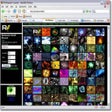
From Digital Innovations :Virtual Music Jukebox is a digital music solution to manage your music library. It's professional looking interface gives you the look and feel of a modern, Internet-ready, bar-style jukebox right on your PC or custom jukebox cabinet. Virtual Music Jukebox was designed for those wanting more than just a media player. It has the ability to display high-resolution album art along with full track listings. It also supports touch screen control for the true jukebox experience. Version 7.2.4 may include unspecified updates, enhancements, or bug fixes.
More popular Music Management Software downloads
- 43,539 downloads 1. JetAudio Basic
- 33,642 downloads 2. Apple iTunes
- 15,606 downloads 3. Winamp
- 8,055 downloads 4. Super MP3 Download
- 6,806 downloads 5. MediaMonkey Standard
- See all Music Management Software downloads
User reviews
- Average user rating: 0 stars Not yet available
- My rating: 0 stars Write review
-
Showing 3 of 3 user reviewsSee all 3 user reviews
This software version | All versions -
Version: Virtual Music Jukebox 7.2.4
Pros: its real good
Cons: there is nothing to complain about
-
Version: Virtual Music Jukebox 7.2.4
Pros: The latest version has worked flawlessly.
It has very good features and is very easy to customize. The program looks good just like a jukebox.
Cons: Very strict tagging required.
All files must be tagged to ID3v1.
I ran about 1000 mp3s through the software and about 100 returned an unknown value.
Example: Oasis album "Whats the story Morning Glory?" returned unknown album due to the question mark in the tag name.
-
Version: Virtual Music Jukebox 7.2.4
"AN OUTSTANDING PUB LIKE PC JUKEBOX"
Pros: VERY USER FRIENDLY , EASY TO SET UP AND SELECT MUSIC , WORKS FLAWLESSLY WITH AN ADDITIONAL TOUCHSCREEN ON MY SYSTEM , HAS LARGE ICON'S ESPECIALLY FOR TOUCHSCREEN OPERATION. I CANT RATE IT ENOUGH
Cons: MY ONLY CON IS THAT IT'S NOT FREEWARE THAT SAID IT'S WORTH PAYING THE MONEY BUT IM JUST A CHEAP SKATE
- See all 3 user reviews Write review
Submit your review
- See more CNET content tagged:
- jukebox
Previous Versions: