Publisher's Description
From Romex Software:
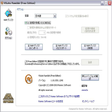
Equipped with the most efficient, high speed CPU, RAM, and video graphics card, users will come to expect best performance out of their computers. But the sad truth is, they aren't getting the best deal. Hard disk, which forms another crucial part of computers, still very much lag behind in terms of speed. This is because hard disk mainly relies on mechanical parts, unlike the CPUs, or RAMs, which are entirely electronics. VSuite Ramdisk is a simple-to-use solution. It employs smart software algorithm, which effectively and efficiently simulates existing RAM as a hard disk.
What's new in this version: Version 1.18.1531.1240 may include unspecified updates, enhancements, or bug fixes.
More Products to Consider
- Update your onboard HD sound from Realtek to the latest driver ...Download
Installed
Smart Install - Update your onboard HD sound from Realtek to the latest driver ...Download
This download is served from an external site
closeNOTICE: This link will open a connection to a third-party site. CNET cannot ensure the security of software that is hosted on external sites.
Sponsored Products
Installed
Smart Install - Update your onboard HD sound from Realtek to the latest driver ...Download
Installed
Smart Install - Update your embedded sound from Realtek to the latest AC'97 cod...Download
Installed
Smart Install - Update your nVidia graphics processing unit to the latest drive...Download
Installed
Smart Install - Driver.Download
Installed
Smart Install - Simulate hard drive using existing RAM to speed up your PC.Download
Installed
Smart Install - Image driver.Download
Installed
Smart Install - Simulate hard drive using existing RAM to speed up your PC.Download
Installed
Smart Install - Simulate hard drive using existing RAM to speed up your PC.Download
Installed
Smart Install - Net driver.Download
Installed
Smart Install - Create a disk drive in memory.Download
Installed
Smart Install - Display the RAM and disk usage of your computer.Download
Installed
Smart Install - BTW driver.Download
Installed
Smart Install - Boost random read and write speeds with a high-speed virtual RA...Download
Installed
Smart Install - USB driver.Download
Installed
Smart Install - Create RAM-disks to speed up your PC.Download
Installed
Smart Install - MEDIA driver.Download
Installed
Smart Install - Create RAM-disks to speed up your PC.Download
Installed
Smart Install - Update your embedded sound from Realtek to the latest AC'97 cod...
- Retrieve data from your system RAM and store it.Download
Installed
Smart Install - Printer Driver Pixma MP250 Series.Download
Installed
Smart Install - Increase your system performance by cleaning the content of you...Download
Installed
Smart Install - Back up and archive all of your Outlook data.Download
Installed
Smart Install
-
All versions:
3.7 starsout of 6 votes
-
Current version:
3.3 starsout of 3 votes
-
My rating:
Write review
Results 1-3 of 3
-
"Not bad at all"
Version: VSuite Ramdisk Free Edition 1.18.1531.1240
Pros
Works with Windows 7 professional 64 bit. Easy to use interface. Does what a RAMDISK is supposed to do. Has good options and it's not bad at all.
Cons
Boring, but can't make RAMDISKs larger than 4gb
Summary
I recommend this product. I ran videos and files with no trouble. I have a LOT of RAM (more than 16 gb) and it's a great "what do I do with all that RAM that W7 is not really going to use" solution.
Make sure you have enough extra RAM as this product (like all products) has overhead.
Making a RAM DISK your temp folder is tricky as some temp operations (such as web browsers) make huge amounts of temp files that can overwhelm this effort. A great use is for a test folder for applications or files you're not sure about and want to get rid of quickly by rebooting the machine. -
"Does not support 64bit"
Version: VSuite Ramdisk Free Edition 1.18.1531.1240
Pros
Can't tell. Wouldn't even install.
Cons
Does not support Win7 64bit.
Summary
I guess it's too much to ask of a free version to support 64bit, but it would have been nice for the description to mention that.
-
"Works as documented under Windows XP Pro SP3"
Version: VSuite Ramdisk Free Edition 1.18.1531.1240
Pros
It installs and works as documented under Windows XP Pro SP3. It was easy to create and use a RAMDisk with an NTFS file system, and assign it a preferred drive letter. I used it to hold some frequently used console utilities and for temp files.
Cons
I have 4GB RAM, and want to use RAM above 3.5GB for the RAMDisk, with the "Use Invisible RAM" feature. It lets me enable the function, but it doesn't seem to work. This is likely a motherboard limitation, as mine only reports 3.1 GB installed.
Summary
I'm not using it at the moment, as it can't use the RAM I wanted in my installation, and I'd rather give the RAM to Windows. This is a motherboard/BIOS limitation on my end: the mobo reports only 3.1 of my 4GB to Windows. (This is documented in the motherboard manual.)
Aside from that, the program installed with no problems, and was relatively simple to configure and use. I could create a 256MB RAMDisk using an NTFS file system, put small console utilities I wanted on it with a batch file run at at startup, and put browser cache and temp files there. The program also claims you can put the Windows page file on it, but I didn't try that option.
Recommended for folks who want to try using a RAMdisk in Windows as a capable freeware offering.