Used Spotlaser for Mac?


Spotlaser Analysis

AI Assisted Content ·

Not written by CNET Staff.

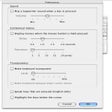
Spotlaser is a free screensaver application designed for Mac users, offering a unique and visually engaging experience. This program allows users to customize their screensavers with a variety of dynamic animations and effects, enhancing the aesthetic appeal of their desktop environment. With a user-friendly interface, Spotlaser simplifies the process of selecting and applying different screensaver styles, making it accessible even for those who may not be tech-savvy.

Top Recommended Alternative

In addition to its customizable features, Spotlaser supports various image formats, enabling users to incorporate personal photos or artwork into their screensaver designs. The application is lightweight and does not require extensive system resources, ensuring it runs smoothly alongside other applications. Overall, Spotlaser provides an enjoyable way to personalize a Mac's screensaver settings while maintaining ease of use.



Used Spotlaser for Mac?


Explore More


Full Specifications

GENERAL
Release
Latest update
Version
1.3.4
OPERATING SYSTEMS
Platform
Mac
Operating System
  • Mac OS X 10.5
  • Mac OS X 10.6
  • Mac OS X 10.4
  • Mac OS X
Additional Requirements
  • This version is for Mac OS 10.4 (Tiger) Systems.
  • For the 32/64bit Universal version for use on Leopard (10.5) & Snow Leopard (10.6) please download Spotlaser 1.3.3 or visit frovil.com for more info.
POPULARITY
Total Downloads
502
Downloads Last Week
1

Report Software

Program available in other languages


Last Updated


User Reviews

3.3/5

10 User Votes


Developer’s Description

Enhanced Spotlight search app.
For the 64bit version for use on Snow Leopard (10.6) please download Spotlaser 1.3.3 or visit frovil.com for more info.

Every file on your computer has name, location, date and contact information, but it's not up to you to remember all this, that's what computers are for! With hard drives getting bigger every year, more and more files are saved every day.

But where did you save them? Can you get to them easily? If you're not careful in saving your files where you know you'll find them, you could have a hard time re- trieving them. You may know part or all of a file's name, information that a file contains, or other related information about a file. But how do you use this information to your advantage?

The in-built search functions of Mac OS X (Spotlight) give you the capability to find files, but without the flexibility and ease you may want. That's where Spotlaser comes in. Spotlaser builds upon Spotlights�???�??�?�¼ features to enable you to get results that are more focused and relevant to your requirements.


Download.com
Your review for Spotlaser
Download.com

AI Assisted Content Disclosure

Content created and reviewed by Softonic with information obtained from frovil heavy industries, using AI.

CNET's editorial team was not involved in the creation of this content. Opinions, analysis and reviews were not provided by CNET.