
Used Shutter Lite for Windows?
Editors’ Review
Shutter shuts off your PC on schedule, but it can schedule and execute a whole range of actions and events. Its no-nonsense interface and easy-to-set commands mean anyone can use Shutter to schedule and automate all kinds of tasks. Shutter runs in Windows NT to 8 and is free for non-commercial users. We tried it in Windows 7.
Though it's a small app, Shutter has a full installer with the usual options, including Desktop and Quick Launch icons. We mentioned Shutter's user interface, which is quite small but also quite easy to use, thanks to two large boxes; one labeled "Click here to add event;" the other labeled "Click here to add action." "Add," "Remove," and "Up" and "Down" buttons make it easy to add and schedule multiple events and actions. But Shutter does more than simply trigger events in sequence: A menu lets you schedule ALL, AND, OR, or 1BY1 operations. You can save complex sequences as Presets, too. A tabbed Options sheet offers settings ranging from Always On Top to password protection and even a custom Web interface option. We could also access basic functions and options from Shutter's system tray icon. As for the business end, Shutter performs these events: Countdown, On Time, Winamp Stops, CPU Usage, Network Usage, User Inactive, Battery Low, Window, Process, Ping Stops, File Size Limit, and Lid (i.e. Case Open; an optional feature in Vista and later Windows versions). The Actions list is more extensive still: Shutdown, Reboot, Log off, Lock Workstation. Sleep, Hibernate, Turn Off Monitor, Screen Saver, Volume, Hang Up, Alarm, Message, Play Sound, Run Program, Open File, Kill Process, and Utilities. Each and every selection has its own Configuration options: some basic and others elaborate.
We started with a basic Event, a Countdown. Shutter tracked our Event with optional balloon notifications. Next we tried something more drastic, a reboot Action (we didn't need to take advantage of Shutter's option to force a reboot). Shutter rebooted our PC on schedule. After that, we tried some combinations, which Shutter handled flawlessly. Sure, much of what Shutter does, you could also do the hard way. But why?
What’s new in version 3.4
Explore More

HP LaserJet 5p/mp Printer series drivers
Free
Paragon Hard Disk Manager
Trial version
Maabi Anti-Forensics File Deletion Tool
Free
HP LaserJet Pro CP1525 Color Printer series drivers
Freesp34908.exe
Free
Cleano
Free
Free Mobile Helper
Free
CLCL
Free
Keyboard Checker
Free
BitNami Tiki Wiki CMS Groupware
Free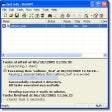
BuildIT
Free
Movito
Trial version











