Used RegToy for Windows?
Editors’ Review
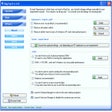
This power-packed application tweaks your Registry to optimize computer performance, but novices sholdn't expect much hand-holding. RegToy has a pretty nested-button-and-tab interface, which may put off some because it doesn't follow XP standards. Options are primarily of the enable/disable variety, and most changes take effect immediately.
Though the tweak options are carefully labeled, users must know the consequences of altering them, as the few onscreen notes don't provide adequate assistance. You can restore the Registry settings to the Windows default, but that's an emergency final resort, as it will undo many changes made by you and some other programs. RegToy also includes a poorly explained feature for saving and loading settings. Other features include nifty utilities such as a file renamer, a file shredder, a start-up manager, an uninstall manager, and a disk cleaner for removing unnecessary files.
You also get a Registry cleaner for removing invalid Registry entries. It's very rare to find such a powerful and free tweaking application. Intermediate to advanced users will quickly make RegToy an integral part of their toolboxes.