Used Master Commander for Windows?


Editors’ Review

Download.com staff
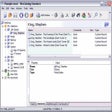
Master Commander replaces Windows Explorer, offering a dual-panel file manager for efficient file and folder operations. It includes archiving, editing, synchronization, and web tools, providing comprehensive control over your PC's files.
Enlarged image for Master Commander
Master Commander 0/5
  • Pros

    • Convenient dual-panel file display (list/tree view)
    • Built-in archive handling functionality
    • Integrated text editor with syntax highlighting
    • Binary hex editor supports modifying files of any size
    • Dedicated folder synchronization tool
  • Cons

    No Cons available


Used Master Commander for Windows?


Explore More

Full Specifications

GENERAL
Release
Latest update
Version
1.0.1
OPERATING SYSTEMS
Platform
Windows
Operating System
  • Windows 10
  • Windows Vista
  • Windows 7
  • Windows Server
  • Windows XP
  • Windows 2000
  • Windows 2003
Additional Requirements
Microsoft .NET Framework 3.5
POPULARITY
Total Downloads
3,069
Downloads Last Week
3

Report Software

Program available in other languages


Last Updated


Developer’s Description

Access, filter, and synchronize files and folders on your PC.
Master Commander is a file manager, which is the replacement for Windows Explorer. A convenient dual-panel view and additional features allow you to perform a series of shorter file operations. It features files are displayed in two independent panels as a list or a tree, built in archive handling, text editor with syntax highlighting for many programming languages, binary hex editor allows you to modify the files of any size, supports the fundamental operations on files and folders, list of favorite folders, simple command line, tool to synchronize folders, tool to download files from the Web, built in FTP client, and electronic signature file.

Download.com
Your review for Master Commander