- Quick specs
- Price: Free
- Operating system: Windows 95/98/Me/2000/XP/NT
- Date added: September 25, 2005
- Total Downloads: 11,460
- Downloads last week: 19
- See full specifications
- Average user rating: stars out of 3 votes
See all user reviews
Publisher's description
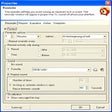
From InfoRapid :InfoRapid KnowledgeMap is a mind mapping program and knowledge management system. It can be used to draw knowledge maps, organizational charts, decision trees, and work breakdown structures, taking down your ideas when brainstorming, or generating structure diagrams from XML files. Knowledge maps can be published on the Web or your Intranet can be added to WinWord, Excel and PowerPoint documents, and can be printed in almost any size you choose. InfoRapid KnowledgeMap is a complete Knowledge Management System suitable for use at home, at work or on the company Intranet. Its integrated, intelligent KnowledgeMap server analyzes text document content and integrates it with a knowledge map.
More popular Project Management Software downloads
- 7,594 downloads 1. WorkTime
- 821 downloads 2. LiveProject
- 778 downloads 3. Microsoft Office Project Professional 2007
- 550 downloads 4. LionClock
- 537 downloads 5. Microsoft Office Project Standard 2007
- See all Project Management Software downloads
User reviews
- Average user rating: 0 stars Not yet available
- My rating: 0 stars Write review
-
Showing 3 of 3 user reviewsSee all 3 user reviews
This software version | All versions -
Version: InfoRapid KnowledgeMap 2005e
"I find it a highly useful program"
Pros: there are three parts all required for inteligent use of the program for taking notes and planning
Cons: Nothing a great piece of software
-
Version: InfoRapid KnowledgeMap 2005e
Pros: Easy to install and use, very intuitive, great GUI
Cons: It's a little hard print the maps
-
1 out of 3 people found this review helpful
Version: InfoRapid KnowledgeMap 2005e
Pros: Dibujar mapas conceptuales y organigramas y a�±adirles el texto es bastante sencillo con su interfaz doble (por un lado el mapa y por el otro el texto y los comentarios)... una vez dibujado el mapa puedes formatear a tu gusto la letra y los dibujos; rotar, girar y hacer modificaciones al mapa es bastante sencillo con sus botones de sus multiples barra de herramientas..
Cons: No se puede escalar en la pagina.. tampoco existe una version en espa�±ol pero no necesitas ser angloparlante para aprender a usarlo..
- See all 3 user reviews Write review