CNET Editors' review
This no-frills utility makes it a breeze to split and join video files of various formats. HT Video Splitter & Joiner's good-looking and straightforward interface ensures that even novices won't have trouble cutting sections from movies. You can precisely mark start and end points, chop your fragment, add it to the clipboard, preview it, and repeat the process until you've extracted all the content you want. Then, you simply click the join icon and the application goes right to work rendering your new file as an MPEG, AVI, or WMV file. The Autosplit option will be useful for burning a DVD movie onto several CDs. Though it's essentially a one-trick pony, HT Video Splitter & Joiner makes a nice pick for both new and experienced video editors.Publisher's Description
From Honest Technology:
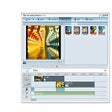
Honestech Easy Video Editor 3.0 - video editing software designed for beginners, easy enough for everyone. The intuitive user interface makes cutting and merging clips possible with just a few clicks. You can also add intro/ending credits and add various transitions and special effects using the included templates. The Easy Video Editor 3.0 provides an intuitive video editing solution that is ideal for beginners. Users will find it surprisingly easy to edit their video files.
What's new in this version: The Easy Video Editor 3.0 provides an intuitive video editing solution that is ideal for beginners. Users will find it surprisingly easy to edit their video files.
More Products to Consider
- Play audio and video files in real-time and streaming modes.Download
Installed
Smart Install - Play video files of multiple video formats.Download
Installed
Smart Install - Play digital media of various formats with 3D and WiDi support.Download
Installed
Smart Install - Play virtually any media file in open-source cross-platform mul...Download
Installed
Smart Install - Convert, edit video and audio files for multimedia devices.Download
Installed
Smart Install - Convert video and YouTube to AVI, WMV, MP4, FLV, MP3, burn vide...Download
Installed
Smart Install - Fastest way to edit MPEG video.Download
Installed
Smart Install - Play all the most popular video and audio formats.Download
Installed
Smart Install - Convert many PC video formats to a DVD.Download
Installed
Smart Install - Convert your videos, audios, and pictures to preferable file fo...Download
Installed
Smart Install - Cut, join, or convert 2D videos to 3D.Download
Installed
Smart Install - Play various types of video, audio, movie, music files in Media...Download
Installed
Smart Install - Convert and edit your video files adding slide shows and titles...Download
Installed
Smart Install - Convert WMV, ASF files to AVI, MPEG, DVD, WMV, MP4, H264, FLV, ...Download
Installed
Smart Install - Edit AVI and MPEG video files without re-encoding.Download
Installed
Smart Install - Play through over 100,000 community-created levels in solo or m...Download
Installed
Smart Install - Join, split, and add any audio effect to you music files.Download
Installed
Smart Install - Play 99.9 percent of files with a collection of codecs for Wind...Download
Installed
Smart Install - Split and convert video files to AVI video format.Download
This download is served from an external site
closeNOTICE: This link will open a connection to a third-party site. CNET cannot ensure the security of software that is hosted on external sites.
Sponsored Products
Installed
Smart Install - Discover and play online videos, download, save, organize, and ...Download
Installed
Smart Install - Cut, trim, join, or convert videos and movie clips swiftly.Download
Installed
Smart Install - Convert any formats video to iPad, iPhone, AVCHD, Blu-Ray, DVD.Download
Installed
Smart Install - Split and convert your video files into WMV format for Zune.Download
Installed
Smart Install - Convert your videos to iPod, iPhone, 3GP, PSP, MP4, H264, AVI, ...Download
Installed
Smart Install
-
All versions:
2.4 starsout of 33 votes
-
Current version:
2.3 starsout of 9 votes
-
My rating:
Write review
Results 1-9 of 9
-
"True to it's name"
Version: Honestech Easy Video Editor 3.0
Pros
Easy to use, problem free.
Cons
None, if you want to do basic video editing.
Summary
Good product.
-
"EASY video editor is really easy to use."
Version: Honestech Easy Video Editor 3.0
Pros
Its simplicity is one of its strong points, the other is the ability to handle files that Windows Movie maker won't recognize.
Cons
It crashed the first time I used it.
Summary
It seems to be the only inexpensive solution to the inability of windows to recognize the most frequently used video files.
-
"Simple enough!"
Version: Honestech Easy Video Editor 3.0
Pros
No manual needed!
Cons
Missing fancy editing features.
-
"Ok To Use, But Too Slow"
Version: Honestech Easy Video Editor 3.0
Pros
Nice Interface
Easy to Use
Quickly Installation
Nice interface
Support for popular file typesCons
Slow when converting from one format to another.
Converts even if you want to keep the same format after editing.Summary
I like the user interface and the three-step process to editing and converting video, but I found this program was slow when converting video compared to freeware found on the Internet and attempt to convert an MPEG back to MPEG format. In addition, it would be nice if the program didn't attempt to reconvert an MPEG that you would like to keep in MPEG format after you made edits, instead of just stitching the cut poritions back together.
-
"LAME Product"
Version: Honestech Easy Video Editor 3.0
Pros
I tried this out for about 30 minutes and removed it from my PC. I installed it and tried to edit a simple home video and couldn't get it to work.
Cons
Didn't work.
Summary
Don't bother with this one.
-
"Lame Product"
Version: Honestech Easy Video Editor 3.0
Pros
Nothing to like
Cons
Did not function, no help menu, even if it did work in the trial mode it would be too basic to be very useful.
Summary
DUD
-
"Not so user friendly."
Version: Honestech Easy Video Editor 3.0
Pros
editing and frames transition is ok
Cons
burning is so hard to understand. freezes a lot
Summary
If you're looking for a user friendly video editing software, I recommend not to get use this one.
-
"Utterly Worthless"
Version: Honestech Easy Video Editor 3.0
Pros
Drag and drop is only good feature.
Cons
Hangs up more often than it works. Sometimes will just quit working and Vista will
close it. Puts in special effects between files to be joined whether you want them
or not. Can only handle limited number of video types.Summary
Read the first review, I give it a ditto and then some. The first time I tried this, I
joined three short files, no problem. Then I tried to join ten small files and it hung up.
Second try it quit working. Third try quit working. Fourth try it quit working. Then I
quit trying.
Too, it put special effects between each clip. Each had to be individually deleted (no
delete all option that I could find) and each time I deleted a special effect I was
automatically returned to the beginning of the clips. Do yourself a favor, do not,
repeat, do not buy this without trying it first. Or, do yourself an even bigger favor
and don't buy it or try it.
If you've got #39.95 burning a hole in your pocket, send it to me. I don't have a
working video editor, but then, Honestech doesn't either.
By the way , I tried giving this zero stars, but the review program forced me to enter
at least one. So did. But I did not want to. -
"Good Intentions, but what happen to QA?"
Version: Honestech Easy Video Editor 3.0
Pros
I like the drag and drop capability. Very easy to cut unwanted frames and insert new ones. The effects & transitions are ok too.
Cons
Hangs Excessively, so lost lots of work. Non-standard gui behavior. Final action to burn was confusing/awkward.
Summary
If you're going to use this, BE SURE TO SAVE after any edit. An autosave feature would be terrific since it hangs so often. If you click in its window before the last action is finished, it will hang. I had to redo so many times because of unexpected hangups. What should have been an afternoon of work because days! VERY very frustrating. Cannot alt+tab to the window. Non-standard operations, such as can only scroll by click on the actual scroll bar versus clicking in the scroll area. Funky text editing, but lots of great fonts. Where is the qa department? Also, called their tech support about a problem, and the guy said "not happening to me", and offered no help.
I used the trial version, so yes it was free. I don't think it's quite ready for prime-time, but still fun to use. Don't rely on this product for anything other than fiddling around.
Results 1-9 of 9