Used Dream Aquarium Screensaver for Windows?
Editors’ Review
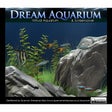
Dream Aquarium Screensaver is a multimedia and screensaver & wallpaper tool that simulates a lively, realistic fish tank right on your desktop. With smooth animations, ambient sounds, and vivid details, it captures the peaceful beauty of aquatic life. The program appeals to users seeking a calming, interactive display while preventing their screens from going idle.
Top Recommended Alternative

Dream Aquarium Screensaver offers a hypnotic, lifelike underwater experience with fluid animation and immersive visuals. Perfect for desktop enhancement or peaceful work breaks, it effortlessly transforms idle screens into a serene, calming aquatic escape that goes beyond simple aesthetic appeal.
The visual quality of the program is its biggest strength. Fish swim fluidly, complete with subtle body movements and lighting effects that mimic real underwater behavior. The tank environment includes gentle bubble sounds and animated plants, giving it a nearly photo-realistic touch. While the default fish variety is somewhat limited, the overall presentation remains unmatched in realism compared to many similar tools.
Lifelike animation with calming charm
Setting up the screensaver is quick and hassle-free, launching automatically when the system goes idle. Users can adjust basic settings like fish count, bubble sounds, and resolution through a simple interface. While it’s easy to use, it lacks deeper customization, such as tank decor or background changes. This simplicity works for casual users, but those wanting more personalization may find it somewhat limiting in the long run.
Dream Aquarium Screensaver performs smoothly across a wide range of systems, with minimal installation size and low CPU usage even during long idle periods. It avoids common pitfalls like ads, browser extensions, or bundled software, resulting in a clean install. However, it does fall short on multi-monitor support, as the visuals may not extend properly across screens, slightly limiting its appeal for users with advanced display setups.
Pros
- Realistic fish animation
- Low system resource use
- No bundled software
- Easy to configure
Cons
- Limited customization options
- No multi-monitor support
Bottom Line
A beautiful break from routine
Dream Aquarium Screensaver delivers a peaceful and realistic visual escape that runs reliably on most systems. It remains one of the most immersive digital aquariums, thanks to its lifelike fish movement and ambient details. While the limited customization may leave some users wanting more, its ease of use, smooth performance, and polished presentation make it ideal for anyone seeking more than just a static or generic wallpaper experience.
What’s new in version 2.0
- Improved fish movement algorithms for added realism
- Updated compatibility for Windows 11 systems
- Reduced CPU usage during extended idle periods
- Fixed display issues on high-resolution monitors
Used Dream Aquarium Screensaver for Windows?
Explore More

Dancing Baby Screensaver
Trial version
Digital Clock-7
FreeFliqlo
Free
SereneScreen Marine Aquarium
Trial version
FlowBubbles Screensaver
Trial versionSecond Nature Screen Saver
FreeGibson Screensaver
FreeColorful Screensaver
FreeSETI home
FreeSuper Screen Saver Creador
FreeCall Of Duty Special Edition Screensaver
FreeHalo Screensaver
Free








.png)