Publisher's Description
From Frank Fesevur:
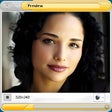
Dorgem is a Webcam capture application for Windows. Any Video for Windows compatible Webcam (or other digital camera) is supported. It has unlimited storage events that can put the captured image on an FTP site as well as a local disk, all with their own time interval. It can put unlimited texts and bitmaps on the captured image before the image is stored. Dorgem supports an unlimited number of simultaneous cameras. It has a built-in Web server for still images and can be used as security camera because of its motion detection.
More Products to Consider
- Chat with other people and participate in group discussions.Download
Installed
Smart Install - Talk with friends and family for free over the Internet.Download
Installed
Smart Install - Join live-video chat rooms from around the world.Download
Installed
Smart Install - Add dynamic effects to your video from HD Webcams.Download
Installed
Smart Install - Exploit your webcams and microphones to detect and record movem...Download
Installed
Smart Install - Add a virtual webcam with amazing video effects to your video c...Download
Installed
Smart Install - Add live Webcam effects to your videos and photos.Download
Installed
Smart Install - Add thousands of cool effects to webcam video for live video ch...Download
Installed
Smart Install - Monitor your Webcams remotely and receive alerts.Download
This download is served from an external site
closeNOTICE: This link will open a connection to a third-party site. CNET cannot ensure the security of software that is hosted on external sites.
Sponsored Products
Installed
Smart Install - Combine your PC and a Webcam into a security system.Download
Installed
Smart Install - Control your webcams, record and broadcast video, detect motion...Download
Installed
Smart Install - Turn your PC into a video surveillance system.Download
Installed
Smart Install - Capture MPEG online video from your Web camera up to 30 fps.Download
Installed
Smart Install - Communicate instantly with your friends using avatars, PC-to-PC...Download
Installed
Smart Install - Record digital live video from your webcamera up to 30 fps.Download
Installed
Smart Install - Turn your Web camera into a sophisticated security system.Download
Installed
Smart Install - Connect your Nokia phone to PC to sync data, download software,...Download
Installed
Smart Install - Capture, edit, print, and share photos and videos from your Web...Download
Installed
Smart Install - Turn your PC and camera into a video surveillance system.Download
Installed
Smart Install - Use the motion of your head to control the cursor.Download
Installed
Smart Install - Add a virtual Webcam for video chats software such as Skype, MS...Download
Installed
Smart Install - Get a video surveillance system and a lot of interesting from y...Download
Installed
Smart Install - Chat with your friends from your desktop.Download
Installed
Smart Install - Monitor and automatically record video events as they occur.Download
Installed
Smart Install
-
All versions:
3.4 starsout of 8 votes
-
Current version:
3.4 starsout of 8 votes
-
My rating:
Write review
Results 1-8 of 8
-
"Excellent Program"
Version: Dorgem 2.1
Pros
Quick and easy to install
The "Help" is useful
I love the Motion Detection option
It's great to have all the options and features available in a FREE application.
You can adjust the interval between images.Cons
The code options listed in the help section described as "Dutch system" doesn't seem to work for my English system. This took me some time to figure out because I didn't use the Help section.
The ideas I have for improvements are already listed in the To Do List.Summary
I wanted to use my laptop as a security camera. For some reason it wouldn't use my built in camera so I bought a $30 HD camera. I'm trying to catch someone cutting my Christmas lights.
-
"dorgem website says software no longer supported"
Version: Dorgem 2.1
Pros
none I see
Cons
no support
-
"Excellent little program - very easy to use"
Version: Dorgem 2.1
Pros
Easy to set up and configure
Cons
CANNOT figure hoe to use it with multiple cameras
-
"Missing Features"
Version: Dorgem 2.1
Pros
Great for saving pictures repeatedly to the same location, as if checking like a security camera. Includes a preview window.
Cons
Program description said it saves and captures photos. I was looking for a snapshot software, not a camera security software. The program description is faulty.
Summary
Was not what I expected due to the program description missing information.
-
"A great little program"
Version: Dorgem 2.1
Pros
It's simple.
Does exactly what it says it does.
Easy to set up.
Very good help files.Cons
Very sensitive. It will detect the smallest movement from anywhere in the frame.
Summary
If you want it to create unique file names use the %G & %g tags to add date and time stamps to the file name.
Dorgem's no longer being developed or supported but its still a very good and stable program. -
"Works pretty well... except for FTP"
Version: Dorgem 2.1
Pros
Simple to use, very little setup needed
Cons
The FTP part doesn't really work.
Summary
Dorgem *will* upload an image via FTP to your root directory, but there's no way to upload an image to your chosen folder.
The HELP file claims you can put the directory info in the filename box, but you can't. It says to use "%G" in place of the slashes when defining the FTP directory to use, but doing that simply results in Dorgem placing your images in your root directory with the time and/or date mixed into the filename. And if you try to define the upload folder using the "/" symbol like normal... Dorgem will fail to understand, and there will be an error when it tries to upload. This is frustrating, because if that one aspect worked, this would be a perfect program in all other ways. -
"Very good but no sensitivity control"
Version: Dorgem 2.1
Pros
Very good peice of software, will support multiple cameras and store the data to an ftp server (incase someone steals your computer)
Cons
Doesn't have a sensitivity control, which would be good to prevent blowing leaves e.t.c.. from activating it.
-
"It does what it claims to do!"
Version: Dorgem 2.1
Pros
I have been looking for years for a program that would save shots from a webcam at pre-set intervals, and this program does just that, and does it well. LOVE IT! LOVE IT! LOVE IT!
Cons
It took me a while to figure out save shots with a time-tag as the file name, but the "HELP" file did was it was supposed to do to...HELP. Somebody with a bit more computer-savvy probably wouldn't have any trouble at all.