Used Desktop Pins for Mac?


Clicking on the Download Now (Visit Site) button above will open a connection to a third-party site. Download.com cannot completely ensure the security of the software hosted on third-party sites.

Desktop Pins Analysis

AI Assisted Content ·

Not written by CNET Staff.

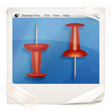
Desktop Pins is a full version application designed for Mac users to enhance their desktop experience by allowing them to pin images and notes directly onto their wallpaper. This program provides a user-friendly interface that enables users to organize and manage their desktop visuals efficiently. With features such as customizable pin sizes, adjustable transparency, and the ability to layer multiple pins, users can create a personalized workspace that caters to their aesthetic preferences and productivity needs.

Top Recommended Alternative

In addition to its visual customization capabilities, Desktop Pins includes functionality for adding reminders and notes, making it a versatile tool for both personal and professional use. Users can easily drag and drop images onto their desktop, adjust their layout, and quickly access important information without cluttering their desktop environment. The application is designed to integrate seamlessly with macOS, ensuring smooth performance and stability.


Enlarged image for Desktop Pins
Desktop Pins 0/1

Used Desktop Pins for Mac?


Explore More


Full Specifications

GENERAL
Release
Latest update
Version
1.0
OPERATING SYSTEMS
Platform
Mac
Operating System
  • Mac OS X
  • Mac OS X 10.7
Additional Requirements
None
POPULARITY
Total Downloads
205
Downloads Last Week
0

Report Software

Program available in other languages


Last Updated


Developer’s Description

Wallpaper that updates with the latest pins from Pinterest automatically.
Use Pinterest pins as your desktop background. The perfect wallpaper that never gets boring with the latest pins from Pinterest updating automatically. You can use pins from any Pinterest page, category, boards of your friends and followers, and of course pins from your own boards.Pins are reshuffled every 10 minutes and refreshed from Pinterest every hour. Endless possibilities: For example, you can stay up to date with pins from people you follow (just log in to your Pinterest account and use pins from the main page). To keep up with what's popular on Pinterest, use the "popular" category. How about some vacation ideas? The "Travel & Places" category is perfect for that.More ideas: You could start to collect pins on boards specifically for your desktop background depending on your mood, the season, inspiration, vacation ideas, and so on. Be creative and let us know what you come up with!No Pinterest account required:- If you just want to test the waters, no problem. The app works just fine without a Pinterest account. You can use pins from all categories and other Pinterest users.Coming up soon:- Support for multiple monitors- More background styles- Let us know what else you would us like to add by leaving a review! As always, all updates are free. Enjoy!

Download.com
Your review for Desktop Pins
Download.com

AI Assisted Content Disclosure

Content created and reviewed by Softonic with information obtained from Kitestack Software, using AI.

CNET's editorial team was not involved in the creation of this content. Opinions, analysis and reviews were not provided by CNET.