
Used Desktop Heap Monitor for Windows?


Clicking on the Download Now (Visit Site) button above will open a connection to a third-party site. Download.com cannot completely ensure the security of the software hosted on third-party sites.

Desktop Heap Monitor Analysis

AI Assisted Content ·

Not written by CNET Staff.

Desktop Heap Monitor is a free utility designed for Windows that assists users in monitoring the desktop heap memory usage on their systems. This tool provides insights into how memory is allocated and utilized, which can be crucial for diagnosing performance issues related to desktop applications. It is particularly useful for developers and system administrators who need to ensure optimal memory management in their Windows environments.

Top Recommended Alternative
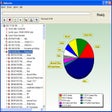
The application features a straightforward interface that displays real-time data regarding desktop heap allocations. Users can easily track memory usage patterns and identify potential leaks or inefficiencies. Additionally, Desktop Heap Monitor allows for the analysis of heap memory across different sessions, making it a valuable tool for troubleshooting and optimizing system performance.


Used Desktop Heap Monitor for Windows?


Explore More


Full Specifications

GENERAL
Release
Latest update
Version
8.1
OPERATING SYSTEMS
Platform
Windows
Operating System
  • Windows XP
  • Windows 10
  • Windows 2000
Additional Requirements
None
POPULARITY
Total Downloads
860
Downloads Last Week
2

Report Software

Program available in other languages


Last Updated


Developer’s Description

Examine usage of internal heap area in Win32 subsystem.
Desktop Heap Monitor examines usage of a WIN32 subsystem that has an internal heap area known as "desktop heap". When running large number of programs, "Out Of Memory" error messages appear when you attempt to start new programs or try to use programs that are already running, even though you still have plenty of physical and pagefile memory available.

Download.com
Your review for Desktop Heap Monitor
Download.com

AI Assisted Content Disclosure

Content created and reviewed by Softonic with information obtained from Microsoft, using AI.

CNET's editorial team was not involved in the creation of this content. Opinions, analysis and reviews were not provided by CNET.