Used Day-O for Mac?


Day-O Analysis

AI Assisted Content ·

Not written by CNET Staff.

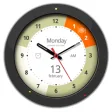
Day-O is a free Mac application designed to enhance time management by providing a customizable clock and calendar interface. It integrates seamlessly with the Mac menu bar, offering users real-time visibility of the current date and time while also displaying upcoming events and reminders. The application features various customization options, allowing users to choose different styles and formats for the clock display to suit personal preferences.

Top Recommended Alternative

In addition to its clock functionality, Day-O provides useful alarms and reminders, helping users stay organized throughout their day. The application can sync with the system calendar, ensuring that all scheduled events are easily accessible. With its simple interface and practical features, Day-O serves as an effective tool for anyone looking to manage their time more efficiently on a Mac.



Used Day-O for Mac?


Explore More


Full Specifications

GENERAL
Release
Latest update
Version
2.0
OPERATING SYSTEMS
Platform
Mac
Operating System
  • OS X 10.11
  • OS X 10.9
  • OS X 10.10
  • Mac OS X
Additional Requirements
None
POPULARITY
Total Downloads
2,255
Downloads Last Week
1

Report Software

Program available in other languages


Last Updated


User Reviews

4/5

1 User Votes


Developer’s Description

Replace menu bar clock with a drop-down calendar.
Day-O is a simple menu bar clock replacement with a simple calendar for your Mac. It's free, as-is (which means I'm not providing support, taking feature requests, addressing perceived inadequacies or releasing the source code).

Download.com
Your review for Day-O
Download.com

AI Assisted Content Disclosure

Content created and reviewed by Softonic with information obtained from Shaun Inman, using AI.

CNET's editorial team was not involved in the creation of this content. Opinions, analysis and reviews were not provided by CNET.