CNET Editors' review
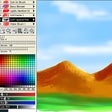
Chasys Draw IES Artist is a free, full-featured image editing and drawing program that does what big-box programs like Adobe Photoshop can do, with a few unique touches that set it apart and actually make it easier to use than the competition.
When you install Chasys Draw, you have the option to associate it with various file types, which is handy if you want to make it your default graphics tool; you can change these associations at any time, too. The main interface is similar to most graphics programs in its layout, its complement of tools and functions, and its use of layers. Wizard-like steps simplify the processes of creating a project and opening and editing an image, video, or other compatible file. We clicked New Project, and the program walked us through the steps of selecting a new image, video, or disk label project or scanning an image. We selected a blank document, choosing dimensions, resolution, orientation, and background colors. We started with the brush tool, drawing freehand with both the mouse and a Wacom pen. Most of the program's wide range of brushes, effects, and tools are similar to those in Photoshop and other software. Chasys Draw accepts plug-ins, too. What we like about this tool, and what sets it apart, are its customizable Windows Aero-compatible transparency, which kept unused windows and tools semitransparent until they were activated by hovering the mouse; its pop-up labels and explanations; and the way the Help file opens on the appropriate entry when you first initiate a function. Other small but useful touches distinguish Chasys Draw from the pack, such as tiny icons in the left-hand corner for rotating images from portrait to landscape orientation. This versatile bundle also includes an icon generator, a calculator, a Notepad utility, and a color palette generator. The raw photo tool offers so many options that it's essentially a separate tool, while the Image Converter tool is powerful and flexible.
Chasys Draw IES Artist does so much that it would take some time to cover it all. It's a legitimate alternative to the big-bucks, big-box image tools on its own merits, and all the more so because it's freeware.
Publisher's Description
From John Paul Chacha's Lab:
Chasys Draw IES is a suite of applications including a layer-based image editor with animation, icon editing support and super-resolution via image stacking (Chasys Draw IES Artist), a multi-threaded image file converter (Chasys Draw IES Converter), a fast image viewer (Chasys Draw IES Viewer) and a RAW camera file processor (Chasys Draw IES raw-Photo). The whole suite is UAC aware and is designed to take advantage of multi-core processors, touch-screens and pen-input devices.
What's new in this version: Version 4.10.01:
- New Image-mode: Composite--Clipped
- New Image-mode: ImageList--Multi-Resolution
- New Image-mode: Animation--Onion-Skinning
- New Effect: 3-way Chromatic Aberation Correction
- New Effect: Median Noise Reduction
- New Effect: Chroma Blur
- New Noise-Reduction Algorithms
- Support for Kodak Photo-CD (including 64base)
- Denoise option in Converter
- UI and functionality improvements for Viewer ... See all new features
More Products to Consider
- Edit images and digital photos with high quality effects.Download
Installed
Smart Install - Process images in batch mode at the click of a button by using ...Download
Installed
Smart Install - Edit, enhance, and manipulate your image files.Download
Installed
Smart Install - Rework your images and photos with fast easy-to-use editor.Download
Installed
Smart Install - Create and edit realistic paintings and images.Download
Installed
Smart Install - Edit, enhance, and manipulate your digital photos or graphics.Download
Installed
Smart Install - View and edit most graphics formats simply and quickly.Download
Installed
Smart Install - Manage, view, convert, and edit your images.Download
Installed
Smart Install - Edit photos, add photo frame, photo effects, collages, and funn...Download
Installed
Smart Install - Optimize your images and change their size.Download
Installed
Smart Install - View, edit, print, or add frames to your photos.Download
Installed
Smart Install - Create and edit photos using layers, effects, and other tools.Download
Installed
Smart Install - Edit images and photos using a variety of tools.Download
Installed
Smart Install - Create and edit an unlimited seamless backgrounds in a minimal ...Download
Installed
Smart Install - Crop, zoom, create borders, and add special effects.Download
Installed
Smart Install - Process your digital photos and create slide shows for sharing.Download
Installed
Smart Install - Capture and edit your images with various tools.Download
Installed
Smart Install - Draw with simulated natural brush tools and apply effects to yo...Download
Installed
Smart Install - Enhance your digital photos in seconds.Download
Installed
Smart Install - Organize, edit, and share pictures with this free photo manager...Download
Installed
Smart Install - Create and edit animated GIF images quickly and easily.Download
Installed
Smart Install - Optimize your photos and turn them into paintings or funny cari...Download
Installed
Smart Install - Convert your image files and view it in text mode.Download
Installed
Smart Install - Protect your photos with visible watermarks, convert, rename, d...Download
Installed
Smart Install
-
All versions:
4.5 starsout of 19 votes
-
Current version:
0 stars Be the first to review this product -
My rating:
Write review
-
"Didn't work on my system!"
Version: Chasys Draw IES 4.04.01
Pros
Great features
Cons
Appears to have stopped my windows 7 computer from booting!
Summary
I had this program on my Windows XP computer and I never had a problem with it. I really liked the included features it has. I thought it was a great program! I found a few of the features a little bit hard to use, but nothing major.
The problem came when I tried to install it on my Windows 7 laptop. It worked fine at first. I didn't notice any problems. The problem came the next time I turned on my Windows 7 computer. It wouldn't boot! I had to use System Restore to fix it! I wish this program would have worked for me! -
"Top Professional Look"
Version: Chasys Draw IES 3.76.04
Pros
- Quality of graphics.
- Quality of tools.Cons
Minimal learning curve -- gotta read the documentation, at least I do.
Summary
I'm a GIMP lover, this adds really great looking graphics to what I can do.
-
"Very Professional Graphics"
Version: Chasys Draw IES 3.75.01
Pros
Easy to create Professional Graphics AND priced to move -- it's FREE! I keep finding new tricks. Sometimes I even read stuff! If you read the stuff -- you'll probably love this even more when you get it to do exactly what you want.
Cons
Not having read much of the documentation, it can be difficult to get results. YOU'LL NEED TO READ and allow time for the learning curve. But, what little I've been able to do made me HAVE TO write something here -- since I believe this is an unknown product to most folks.
Summary
Super impressive. Well, gotta go read.
-
"Enormous functionality for free!"
Version: Chasys Draw IES 3.75.01
Pros
no, i will not enter them
Cons
I will not enter ten characters
Summary
this software has far more capabilities than I do.
-
"Wow, excellent features"
Version: Chasys Draw IES 3.72.01
Pros
Tools for transparent backgrounds are very good. Toolkit seems to be thorough and well thought out.
Cons
Haven't discovered anything negative... yet.
-
"Excellent product."
Version: Chasys Draw IES 3.72.01
Pros
Full featured.
Easy to use.Cons
None - very impressive, especially for freeware.
-
"All I need for painting and animating"
Version: Chasys Draw IES 3.68.03
Pros
Imports fine from my scanner, webcam and graphics tablet
Imports brushes from GIMP and photoshop
My no-name pressure sensitive graphics tablet supported
Has not crashed so far after several hours of use, and does not lag on a 7 year old XP computer
Nice interface and large canvas to draw on when using the full screen option
Lots of tools to exploreCons
No it works
Summary
My affordable graphics tablet came without software. This program was what I needed.
-
"Just as good as Photoshop, no better due to the price!!"
Version: Chasys Draw IES 3.67.01
Pros
Full featured
excellent photo editing stuff
Easy for a beginner to learn and to use.Cons
Can get a little slow when the resolution of the pictures is at its maximum
Summary
This program is an alltogether great thing. I am so glad that I found it. It has just as many features as the photoshop that I had been using and it is free!! If you are looking for a tool to edit photos with professional quality and feel than this is the program for you.
-
"Fine program, but..."
Version: Chasys Draw IES 3.66.02
Pros
A capable graphics app with tons of features. Takes awhile to explore all the tools, but it's worth the time required. Handles layers well. Nice brushes and textures. Seems quite stable. I like it.
Cons
The author went overboard with bells and whistles. Too much splash and glitter. I don't need a graphics app to be fancy or pretty - I just need it to work.
Summary
I recommend it for any experienced user looking for a free alternative to hi-dollar graphics apps. But be prepared to spend some time learning to use it. It is definitely NOT for newbies.
-
"Just Great"
Version: Chasys Draw IES 3.66.02
Pros
Free, easy to use, easy to get a hang on, lots of features, it actually helps when opening any image even if it is for photoshop, or gimp brush. It works well with other soft wares.
Cons
made me panic when I first saw all the features. I might even use this for 10 years and still only know how to use some of the features.
Summary
If you don't want to spend money on photoshop, download this before they change their minds and start selling it.