CNET Editors' review
This single-function application lets you lessen--if not eliminate--the repetitive task of answering to annoying pop-up windows that appear while you're working on your computer.
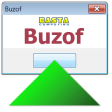
Buzof's interface is so clean and straightforward that anyone can use it without the aid of a help guide. The user simply drags the program's crosshair to the button of the pop-up window. The next time the pop-up window appears, Buzof will automatically eliminate it.
An added benefit of the program is its ability to remember user responses to dialog boxes. In our test, we set the program to automatically answer Yes to a Save message box that appears before closing an MS Word or Excel file, and it proved to be very effective and reliable. You also can specify the time interval for the program to detect any pop-up window on your desktop in seconds.
Any user looking for a simple yet effective tool for auto-answering pop-up windows and message boxes will surely find this program handy and useful.
Publisher's Description
From Basta Computing:
Annoyed by the repeated assaults of spurious messages and confirmation prompts on your desktop? Would you like to get rid of Internet cookies or pesky "Are you sure you want to do this or that" questions? Don't let these or any other windows stress you, interfere with your productivity, or freeze your computer while you are away. Get rid of them with Buzof.
Buzof enables you to automatically answer, close or minimize virtually any recurring window including messages, prompts, and dialog boxes. Simply teach Buzof how to click the button that you would normally click to get rid of the annoying window. From this point on, Buzof will periodically scan the desktop and take care of the window whenever it shows up again. Teaching Buzof how to click buttons is a snap; it can be done either by dragging an icon from the Buzof window to the targeted button, or by positioning the cursor over the button and pressing a hot key.Buzof is designed to handle many different situations that would otherwise need to be addressed individually by specialized software. In fact, Buzof handles all kinds of messages and dialog boxes so well that many users think that it was designed for their specific needs. Moreover, Buzof will continue to be useful even after upgrading your other software. For example, when browsers started to include a feature to disable cookies, specialized cookie elimination software became useless. But Buzof continues to help you by handling other annoying prompts, including new ones that you may encounter when you buy new software or upgrade your existing applications. Stop wasting time with unsolicited messages that invade your desktop out of nowhere. Get Buzof.What's new in this version: Version 4.1 adds a configurable updater to keep the program up-to-date and improves the installer.
More Popular Desktop Customization downloads
- Fences
29,472 downloads
- ObjectDock
24,677 downloads
- WindowBlinds
16,050 downloads
- Winstep Nexus Dock
12,033 downloads
- Winstep Xtreme
4,367 downloads
-
All versions:
4.4 starsout of 23 votes
-
Current version:
0 stars Be the first to review this product -
My rating:
Write review
-
"Try a free one"
Version: Buzof 4.0
Pros
0000000000
Cons
0000000000
Summary
Clickoff will do the same job plus more and it is free!
Check it out here:
www.johanneshuebner.com/en/clickoff.shtml -
"Appears incompatible with Vista."
Version: Buzof 4.0
Pros
Works effectively until Vista shuts it down.
Cons
Should get a Vista upgrade.
-
"Product is not compatible with Firefox"
Version: Buzof 4.0
Pros
I loved what the developer said about it. I loved the look and ease of use. It is a great concept.
Cons
I don't like that it does not work. All the great things I said above are null and void because this product is incompatible with Firefox, my browser of choice.
-
"I'm Very pleased"
Version: Buzof 1.6
Summary
I tried a few others which didn't work on some older apps. This works great. I like the quick enable/disable feature.
-
"so nice"
Version: Buzof 1.6
Summary
works great on pop sites, and not just that I go to some sites that require passwords saved. This utility will auto click ok. Can auto click ok on nag screens and much more. Worked on everything I threw at it. I just had to keep pressing test and try the different options. Very happy with this one
-
"Just what I was looking for..."
Version: Buzof 1.6
Summary
In just a few seconds, a long time problem was solved. They will be getting my money...
-
"The mosr useful utility that doesn't come with Windows."
Version: Buzof 1.6
Summary
I can't speak highly enough of this utility. This program just ROCKS. I have found surfing the net so much more pleasant since I started using Buzof.
-
"Great idea and implementation"
Version: Buzof 1.6
-
"Simple & it does what it does most effectively"
Version: Buzof 1.6
Summary
I have been looking around off & on for a product that would get rid of those stupid popup windows. I'm all for commercialism except in my own backyard/desktop. I am very pleased I ran accross this. It's something I would have done for myself.
-
"Highly Recommend"
Version: Buzof 1.6
Summary
This is one of the handiest utilities I have ever found. I just bought two more copies.
Add Your Review
Submit your reply
E-mail this review
Report offensive content
See more CNET content tagged:
Previous Versions: