Used Audiocorder for Mac?


Audiocorder Analysis

AI Assisted Content ·

Not written by CNET Staff.

Audiocorder is a multimedia application designed for audio recording on Mac systems. This trial version offers a range of features that cater to both casual users and professionals. Users can record audio from various sources, including microphones and line inputs, making it suitable for a wide array of applications such as podcasting, music production, and voiceover work. The interface is user-friendly, allowing for easy navigation and quick access to essential functions.

Top Recommended Alternative

In addition to its recording capabilities, Audiocorder supports multiple audio formats, enabling users to save their recordings in formats best suited for their projects. The application also includes basic editing tools, allowing users to trim and adjust their audio files directly within the program. With compatibility across various Mac systems, Audiocorder provides a comprehensive solution for anyone looking to capture high-quality audio.


Used Audiocorder for Mac?


Explore More


Full Specifications

GENERAL
Release
Latest update
Version
5.5
OPERATING SYSTEMS
Platform
Mac
Operating System
  • Mac OS X 10.6
  • OS X 10.8
  • Mac OS X 10.4
  • Mac OS X 10.7
  • Mac OS X 10.3
  • Mac OS X 10.5
  • Mac OS X
Additional Requirements
None
POPULARITY
Total Downloads
797
Downloads Last Week
0

Report Software

Program available in other languages


Last Updated


User Reviews

3.3/5

15 User Votes


Developer’s Description

Records audio manually & automatically.
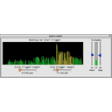
Audiocorder is a program which allows your Mac to act as a sophisticated audio recorder. In one mode, it operates as a volume operated (VOX) audio recorder. This allows you to set the volume that the sound must reach to begin recording, and the volume at which it should end recording. It also allows you to set the trigger length for the start and stop values, which helps you to eliminate recording short bursts of sound or ending the recording process during a short pause (such as in normal speach). Audiocorder may also be programed with a recording schedule, specifying when it should start and stop recording, much like a VCR. It may also be used as a normal manually operated recorder. In addition, it can play AIFF sound files, including those created with other sound programs. Each sound file is stored in AIFF format, a Macintosh standard sound format. The audio is sampled at 11, 22 or 44 kHz, with a sample size of 8 or 16 bits, either monophonic or stereo. The name of each file contains the date and time (down to seconds) the recording began. Audiocorder is used in a wide variety of applications, including digitizing LPs and tapes, recording animals and other natural sounds, and automated recording of radio transmissions.

Download.com
Your review for Audiocorder
Download.com

AI Assisted Content Disclosure

Content created and reviewed by Softonic with information obtained from Black Cat Systems, using AI.

CNET's editorial team was not involved in the creation of this content. Opinions, analysis and reviews were not provided by CNET.