Version: 2008
  • On MovieTome: Concept art of Iron Man's super-villain!
advertisement

Analogue Vista Clock 1.19

  • Quick specs
  • Price: Free to try (15-day trial); $14.95 to buy
  • Operating system: Windows Vista, Windows Server 2008, Windows 7, Windows XP, Windows 2000
  • Date added: October 16, 2009
  • Total Downloads: 9,993
  • Downloads last week: 82
  • See full specifications
Add to my list Add to my Watch List
Download Now (697.93K)
Tested spyware free

CNET editors' review

Reviewed by: CNET staff on March 10, 2009

This completely customizable clock lets you dress up its clock face with your own pictures. Though it took us a little time to load our picture, we found it a fun alternative to the staid system clock.

Custom Skin Clock appears on your desktop as a plain, analog clock with directions to right-click to add an image. Doing so introduces a menu that lets you adjust the clock's size and transparency. You can also choose to keep the clock on top of whatever you're working on at the moment. The Customize Clock option introduces a new interface that we found a little awkward to navigate. The clock appeared in the middle of the page, as well as text to change the clock hand colors and to load the image, but the buttons to perform these tasks were nowhere to be found. It was only after we hovered our mouse in the general area that the buttons and menu options appeared. Once we figured it out, we were able to easily add and resize our image to the clock face, change the clock hand color, and choose the font and color for the clock face numbers.

Custom Skin Clock doesn't include an alarm feature or Help file, but no matter; we liked its spin on the standard desktop clock. We recommend this free clock to any user tired of the standard toolbar time display.

Publisher's description

From 4 Neurons :

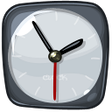
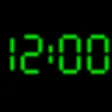
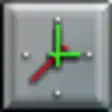
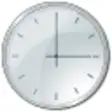
Analogue Vista Clock is an outstanding quality alarm clock for your desktop. It comes with six awesome, real time rendered vista-style skins, and you can download more. You can use one of its internal alarm sounds or configure it to play any external sound file. It supports gradual wake feature. Furthermore you can specify which days of the week alarm will be played and the clock will wake up the computer if it's hibernated or in standby mode.

What's new in this version:

Version 1.19 adds Greek, French and Arabic languages.

Get the blackberry apps you need.

More popular Alarms & Clock Software downloads

  1. 18,347 downloads 1. TimeLeft
  2. 7,302 downloads 2. Alarm Clock
  3. 2,883 downloads 3. Cool Timer
  4. 2,880 downloads 4. Free Desktop Clock
  5. 2,047 downloads 5. ClocX
  6. See all Alarms & Clock Software downloads
Everything you need to get your Mac up to speed.

User reviews

Write your own review Be the first one to review Analogue Vista Clock 1.19 and share your experience with the CNET community!
Previous versions: See all user reviews

Submit your review

Log in or create an account to submit your review for:

Analogue Vista Clock 1.19

ORLog in with your Facebook account
1. Rate this product:
(Mouse over the stars to rate this product and click to set your rating.)
2. One-line summary:(Summarize your review in one line. 10 characters minimum; required.)
0 of 55 characters
3. Pros:(Tell us what you like about this product. 10 characters minimum; required.)
0 of 250 characters
4. Cons:(Tell us what you don't like about this product. 10 characters minimum; required.)
0 of 250 characters
Bottom-line summary:(Explain to us in detail why you like or dislike the product, focusing your comments on the product's features and functionality, and your experience using the product. This field is optional.)
0 of 5000 characters

The posting of advertisements, profanity, or personal attacks are prohibited.
Click here to review our site terms of use.

Submit
See more CNET content tagged:
Microsoft Windows Vista,
clock,
image

Previous Versions:


advertisement