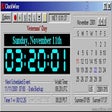
There's a lot to like about the freeware AlarmXP, but stability issues detract from the overall effect. The interface is distressingly blank on first look, but the various icons lead to useful time-based tools. The alarm function can display a pop-up message, play an audio file, or run whatever program you want at the time and date you specify. You also can start a timer, count down to the next hour, or just make a note. In our testing, however, we could not get an alarm to send an e-mail or log onto a Web site. Perhaps the help file offers some guidance about this; unfortunately, the help file did not install. The program also disappeared when we minimized it, and we had to end the process through Task Manager and restart our computer to get the program to open again. Some users will be turned off by the unstable performance. Others, though, will appreciate the features that do work and chalk the rest up to the vagaries of free software.
More features than any freeware I've seen in this category. Multiple alarms, countdown timers, stopwatches, very configurable system tray clock, personal sound files for alarms, etc.
Cons
The cnet editor's review is spot on. Read it if you haven't. In addition to those problems, I experienced the following: the right-click menus for several other tray items became invisible; it can't be configured to start automatically on system startup; when Win XP Explorer crashed and restarted, AlarmXP Pro did not restart automatically and could not be started with the Quick Launch shortcut or from Start Menu (I had to restart the computer to make it work again). AlarmXP Pro holds much promise, and I will definitely try it again in a future release once these stability problems are ironed out.
Summary
Still playing with it, but a lot less cumbersome than Outlook 2003
u4e
Pros
The Pro Version is now free, and Customer Support, in the form of Mike Hardy was extremely helpful, even before I had managed to download the program fully.
Cons
You cannot paste your email address into the registration form, it must be typed, but hardly a headache when you figure it out. Could do with an 'Import' facility to make life easier, but, hey, it is a free program!
Summary
Great windows feature that MS overlooked.
TheGeoff
Pros
Finally, I can see the date as well as the time in the task tray. And better yet when I double click it, I can see an actual calendar control not the set time and date windows dialog.
<p> Why have windows gone this long without this simple functionality? Vista doesn't even have it.
<p> I may be a dork but I hate having to double click the time to check what the date is.
<p> You can also set all kinds of time and date formats as well as the font if you're they type that likes to tweak the font. The alarm functon comes in handy too sometimes, you just have to right click on the date/time and you can do all sorts of stuff.
Cons
I don't like that I just recently found this app. I just assumed nobody had solved that particular windows annoyance. Doh!
Summary
Interesting product but mislabeled
Cruizer100
Pros
The LITE version is a neat little product, simple but gets the job done. And it is the FREE version, not the PRO version you donwload by following the link.
Cons
The PRO version which the link leads to costs $4.95. Go to their website and search for the FREE LITE version