Used 3DBlur for Mac?


3DBlur Analysis

AI Assisted Content ·

Not written by CNET Staff.

3DBlur is a free simulation program designed for Mac users, offering a unique platform for exploring and creating immersive 3D environments. This application allows users to manipulate and navigate through detailed virtual spaces, making it suitable for both casual users and those interested in more complex simulations. With intuitive controls and a user-friendly interface, 3DBlur enables seamless interaction with 3D models and landscapes.

Top Recommended Alternative

The program features a variety of tools for customizing environments, including texture mapping and object manipulation, which enhance the user experience. Additionally, 3DBlur supports various file formats, allowing for easy integration of external assets. Its capability to simulate realistic physics further enriches the exploration experience, making it a valuable tool for users interested in simulation-based projects.



Used 3DBlur for Mac?


Explore More


Full Specifications

GENERAL
Release
Latest update
Version
1.0b2
OPERATING SYSTEMS
Platform
Mac
Operating System
Mac OS X
Additional Requirements
Mac OS X, ATI Rage 128
POPULARITY
Total Downloads
30,867
Downloads Last Week
0

Report Software

Program available in other languages


Last Updated


User Reviews

2.7/5

9 User Votes


Developer’s Description

Fly through a maze of 3D canyons making your way through challenging obstacles.
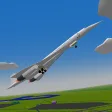
3DBlur is a Cocoa-based first-person game in which you fly a vehicle through a series of canyons, gaining as many points as you can before you crash. Score points by flying under rocks and other obstacles that block your path. Some obstacles are more difficult than others, requiring you to pull off some tricky moves in order to stay in the air.

To play 3Dblur, simply steer your plane using the arrow keys or the mouse. You will always move foreward, although more slowly when you're flying upward. When you complete an obstacle, the number of points you receive briefly appears in the middle of your screen. Your total score is displayed in the upper left corner. Some noteworthy or especially difficult obstacles have special names that appear on your screen when you pass them. These names also show up on the high scores list as commendations.

3DBlur is in continuous development and currently features four obstacle courses, seven terrain styles, and a level editor.


Download.com
Your review for 3DBlur
Download.com

AI Assisted Content Disclosure

Content created and reviewed by Softonic with information obtained from Obvious Software, using AI.

CNET's editorial team was not involved in the creation of this content. Opinions, analysis and reviews were not provided by CNET.