ie8 fix
Click Here

32VerSee

CNET Editors' review

by: CNET Staff on February 27, 2009

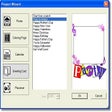
Being a viewer means you cannot only view photos but some editing even if it is very limited but this software has no idea on the issue. 32 VerSee works only as a viewer but judging by all factors, it is a very mediocre one. It certainly reads all formats and can at least zoom into images. But from the other hand it does not propose to associate graphical files with it at the first launch, which is the most essential action that image viewers do. Then it does not enable you to list images within a folder with hotkeys like Page Up/Down. Moreover, you will have to click arrows on the program main window to see the following image. Another problem is that the software displays photos in regular size without the option of fitting them to screen. Of course, you can print or e-mail pictures but there is nothing new about it. We recommend you to search for something a bit more convenient and aimed at saving your precious time.
 
VIPRE detects and blocks all types of malware, including viruses, spyware, Trojans, adware, worms and rootkits. Its fast, easy to use and protects your PC 24/7.

Publisher's Description

From Molwick:

Freeware graphics viewer, photo editor and image converter. Support up to 99 photos with the same name. Performs instant zoom and stretch. Swaps and places photos by changing its sequence order with slideshow function. Image capturer and wallpaper from the image displayed on the screen. Command line arguments allow users to display photos directly after loading the program and it is also possible to associate supported picture types.

More Popular Image Editing Software downloads

  1. PhotoScape

    174,268 downloads

  2. IrfanView

    106,704 downloads

  3. Adobe Photoshop Extended

    32,675 downloads

  4. FastStone Image Viewer

    30,920 downloads

  5. PhotoShine

    15,059 downloads

 
Web conference instantly with up to 2,500 participants.
All User Reviews
  • All versions:

    2.0 stars

    out of 4 votes

    • 5 star: 1
    • 4 star: 0
    • 3 star: 0
    • 2 star: 0
    • 1 star: 3
  • Current version:

    2.0 stars

    out of 4 votes

    • 5 star: 1
    • 4 star: 0
    • 3 star: 0
    • 2 star: 0
    • 1 star: 3
  • My rating:

    0 stars

    Write review

Results 1-2 of 2

  • 1.0 stars

    "Attempted install activates a GIS program installation?"

    June 4, 2009  |   By danajohnson

    Version: 32VerSee 2.31

    Pros

    No installed program-no shortcuts, no 'Program' menu listing, therefore no comment. What file types does this open? Is this all command line, or graphical menus? Why no accurate details?

    Cons

    The download does not activate itself beyond the initial red heart icon balloon box offer. The progress bar moves to the right, and the box disappears in less than a second. Then, another program pops-up and performs an installation of itself.

    Summary

    Why does this program not list the accurate detailing of the precise limitations of it's internal processes, and where is the program on my machine, now that the install progress bar has travelled from the left to the right limit? I have performed the attempt three times, and have three new repeated installs of a very large different GIS(geographical information system) type program now to contend with, but no '32VerSee' found.
    Does this program, as with many other command-line types, not present a full install in Win XPP? Is the program not installed on the 'Programs' listing routinely, but hidden somewhere else?
    If the '32VerSee' is command-line, only, why is it listed as a Win XP program, and no warning placed in the title or description?
    I see no listing of the file types read/write, file size, or conversion capabilities/limitations listed in the descriptions?
    Accuracy brings an expectation of repeatability.
    I was ambitious to try this 'viewer' for possible JP2, J2k, Tif, EMF, or other fie types. Does this viewer perform that?
    Why no 'site link' for this program? I'll try the 'Molwick' (author?) link to attempt a revisement and some background info, perhaps a new version is in the works. With so much 'open source code' out there' it may have a future as a convenient viewer/converter.

    Updated on Jun 4, 2009

    The actual limits of this program, not willingly published in the descriptions, as follows, for 'read/write' functions:
    "See photos jpg, gif and bmp." -The big picture now readable.-

    Above, as stated on the programs homepage, and below, a direct link to the very overly promoted program site page. Even there the limits are nearly hidden by ambiguous 'hype'. Site page link:
    http://www.versee.com/photos-viewer/index.html

    Beware, "reads all formats "(by CNET staff), is not the truth. Apparently. I really can't fully commit, as the program is still hidden on my machine, or not there.

    Reply to this review

    Was this review helpful? (1) (0)

  • 1.0 stars

    "Disturbing program"

    January 12, 2005  |  

    Version: 32VerSee 2.31

    Summary

    After installing this program I noticed it left ugly heart-shaped icons on the images even after I had promptly uninstalled it.
    Don't waste your time with this program.

    Reply to this review

    Was this review helpful? (2) (0)

Add Your Review

or Log in or create an account to post a review.
You are logged in as . Please submit your review for 32VerSee 2.31
Add Your Review

The posting of advertisements, profanity, or personal attacks is prohibited.
Click here to review our site terms of use.

Submit your reply

Submit

The posting of advertisements, profanity, or personal attacks is prohibited.
Click here to review our site terms of use.

cancel

E-mail this review

Submit cancel

Report offensive content

If you believe this comment is offensive or violates the CNET's Site Terms of Use, you can report it below (this will not automatically remove the comment). Once reported, our staff will be notified and the comment will be reviewed.

Select type of offense:

Offensive: Sexually explicit or offensive language
Spam: Advertisements or commercial links
Disruptive posting: Flaming or offending other users
Illegal activities: Promote cracked software, or other illegal content
Submit cancel

See more CNET content tagged:

Previous Versions:

Error

close

ERROR MESSAGE

If you think this is an error, please contact CNET TechTracker Support for further assistance.

Ok

Running Request

close

loading

Smart Install Software

close

CNET TechTracker will now automatically install software without requiring further action by you. (Note: This feature automatically accepts associated EULAs and third party applications on your behalf.)

You have selected the following software to Smart Install:

CNET TechTracker will attempt to install this software without interrupting you again. If an application requires manual installation, CNET TechTracker will download the installer and prompt you to take further action.

Proceed with Smart Install?

Confirm Standard Install Cancel

Submit a problem report for 32VerSee

close

Please describe the problem you have with this software. This information will be sent to our editors for review.

Problem:

The CNET Installer isn't working as expected

The download link does not work

The software has a newer version

The software contains malware

Other

Description:

Please select a feedback type.

Please enter a description.

Submit Problem Report

Problem Report submitted

close

Thank you for submitting a problem report! The Download team is committed to providing you with accurate software information.

OK