Used Theme for iPhone 11 / iPhone 11 Pro for Android?
Editors’ Review
Theme for iPhone 11 / iPhone 11 Pro, from Smart Pixelator, is an Android personalization app that reproduces the iPhone 11 series visual style to restyle home and lock screens and app icons. The tool delivers high-definition wallpapers, iOS-style icon packs, and font-weight controls while integrating with major third-party launchers. Its lightweight approach and broad launcher compatibility suit Android users seeking a visual iPhone-like layer without changing hardware or system internals.
Top Recommended Alternative
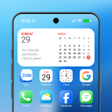
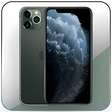
The app applies a visual skin across the device interface, supplying high-definition wallpapers inspired by iPhone 11 imagery and an icon pack that emulates the iOS 13 glyphs and shapes. It targets appearance rather than behavior, so home screen layout, lock screen background, and icon graphics are replaced through the app's gallery and apply workflow, while native system gestures and notifications remain controlled by the OS.
What does the app change on the home and lock screens?
How much control does it give over icons and typography?
Customization focuses on icon appearance and text rendering. Users can change icon backgrounds and pick a crafted icon set that mirrors iOS styling, and the app exposes font style and text weight adjustments. Those controls let users tune visual density and label legibility; deeper system-level typography APIs are not modified, so changes affect the themed elements provided by the app and compatible launchers.
Does the theme tax system resources or storage?
The theme emphasizes a small footprint and minimal runtime impact. The developer describes the package as lightweight, designed to deliver a significant visual overhaul without heavy resource consumption. The tool maintains compatibility with modern Android releases (Android 9.0 and above) and receives regular updates to preserve launcher compatibility, which mitigates stability risk after recent system updates.
Is it easy to install, and which launchers does it support?
Setup centers on a straightforward apply workflow but requires a compatible launcher for icons. Wallpapers can be used with the stock interface, while custom icons need a launcher such as Nova, Apex, Go, ADW, or Holo to take full effect. The app presents previews and quick-apply actions; user reports also note the presence of advertisements inside the interface and periodic updates from the developer to keep launcher support current.
Pros
- High-definition iPhone 11–inspired wallpapers
- Icon packs that replicate iOS 13 glyphs and shapes
- Font-style and text-weight adjustment controls
- Broad support for Nova, Apex, Go, ADW, Holo launchers
Cons
- Custom icons require a compatible third-party launcher
- Advertisements appear within the app interface
- Does not modify native system gestures or OS behaviors
Bottom Line
A pragmatic choice for users seeking visual parity, not functional parity
The app is a practical option for Android enthusiasts who want a focused visual imitation of a flagship interface; it does not change native system gestures, notification behavior, or underlying OS features. Users comfortable accepting a visual-only skin and installing a compatible launcher will find it suitable, while anyone expecting cross-platform behavior or system-level integration should look elsewhere.
Used Theme for iPhone 11 / iPhone 11 Pro for Android?
Explore More
Crystal Iphone Glass HD Icons pack Theme WALLPAPER
Paid
Wave Z Live Wallpaper
Free
USA Night Live Wallpaper PRO
Free
MS Dhoni HD Wallpapers 2020
Free
Firi - Icon Pack
Paid
Dolphin Live Wallpaper PRO HD
Free
يوم الجمعة : الصلاة على النبي
Free
BMW Cars Wallpapers for Boys
Free
Raindrops 3D Live Wallpaper
Free
Christmas Songs Live Wallpaper with Music
Free
Football Wallpaper: HD & 4K
Free
Fireflies Live Wallpaper PRO
Free