Used SendTo-Convert Portable for Windows?


Editors’ Review

Download.com staff
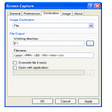
SendTo-Convert offers rapid and straightforward image conversion. Access functionality directly from the Send To menu or use drag-and-drop for added convenience. Customize your conversion settings.
Enlarged image for SendTo-Convert Portable
SendTo-Convert Portable 0/2
  • Pros

    • Direct conversion via Send To menu
    • Drag-and-drop conversion support
    • User-configurable settings
    • Supports multiple input formats (BMP, PNG, JPEG, TIFF, GIF)
    • Supports multiple output formats (BMP, PNG, JPEG, GIF)
  • Cons

    • TIFF output format is not supported

Used SendTo-Convert Portable for Windows?


Explore More


Full Specifications

GENERAL
Release
Latest update
Version
2.7.1.2
OPERATING SYSTEMS
Platform
Windows
Operating System
  • Windows Vista
  • Windows 7
  • Windows XP
  • Windows 8
  • Windows 10
Additional Requirements
None
POPULARITY
Total Downloads
229
Downloads Last Week
0

Report Software

Program available in other languages


Last Updated


Developer’s Description

Convert your images directly through Sent To menu option.
SendTo-Convert is a quick and easy image converter to start from Send To menu. Conversion by drag-and-drop is also possible. You can configure your own settings. Supports BMP, PNG, JPEG, TIFF, and GIF input formats and BMP, PNG, JPEG, and GIF output formats.

Download.com
Your review for SendTo-Convert Portable