Used RGB LED IR Controller Wireless for Android?
RGB LED IR Controller Wireless Analysis
AI Assisted Content ·
Not written by CNET Staff.
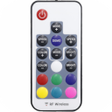
RGB LED IR Controller Wireless is a free Android application designed for controlling RGB LED bulbs conveniently from a mobile device. This application enables users to easily turn their LED lights on and off, adjust colors, and manage various lighting settings directly through their smartphones. The app's straightforward interface ensures that users can quickly navigate and customize their lighting preferences without any complications, making it suitable for both tech-savvy individuals and those less familiar with technology.
Top Recommended Alternative

The compatibility of RGB LED IR Controller Wireless with a wide range of RGB LED bulbs enhances its appeal, as it caters to various lighting setups. The installation process is uncomplicated, and the app responds promptly to commands, ensuring efficient control over lighting. Users can expect a reliable tool that simplifies the management of their RGB LED lighting, providing an effective solution for enhancing ambient environments.
Used RGB LED IR Controller Wireless for Android?