Used PE Explorer for Windows?
Editors’ Review
Download.com staff
Top Recommended Alternative
Pros
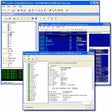
- Visual resource editor included
- Automatic UPX and Upack unpackers
- Exported and imported API function viewer
- Digital signature and dependency scanner
- Built-in disassembler for analysis
Cons
- Requires administrator info for forced execution
- Limited to 32-bit executable formats
Explore More

PyCharm Professional
Free
Microsoft Visual Studio 2010 F# Runtime 2.0
Free
Bluetooth LED for Windows 10
Free
Json Into HTML for Windows 10
Free
NimbleText
Free
Stellar Phoenix Excel Repair for Windows 10
Paid
WiFi Scout for Windows 10
Free
SUSE Linux Enterprise Server 12 for Windows 10
Free
Beacon Simulator for Windows 10
Free
NFC Sample for Windows 10
Free
WiFi Radar Tracker for Windows 10
Free