Used Mirror Lab for Android?


Mirror Lab Analysis

AI Assisted Content ·

Not written by CNET Staff.

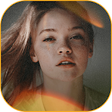
Mirror Lab is a comprehensive photo editing application designed for Android devices, offering users a wide array of features to enhance their images. With over 50 filters, numerous frame designs, and 10 unique animation effects, the app allows for creative customization of photos. Its intuitive top toolbar simplifies the process of applying effects, making it accessible for users at all skill levels. Additionally, users can explore the option of a professional version through a subscription model, enhancing their editing capabilities further.

The application also supports video creation, enabling users to compile multiple photos and apply various filters before saving them as video clips. This feature broadens the scope of creative expression, allowing for dynamic presentations of images. Overall, Mirror Lab presents a user-friendly interface combined with a rich set of functionalities that cater to both casual users and those seeking more advanced editing tools.

Enlarged image for Mirror Lab
Mirror Lab 0/4

Used Mirror Lab for Android?


Explore More


Full Specifications

GENERAL
Release
Latest update
Version
2.7.1
OPERATING SYSTEMS
Platform
Android
Operating System
Android 15.0
POPULARITY
Total Downloads
400
Downloads Last Week
3

Report Software

Program available in other languages


Last Updated


Developer’s Description

Mirror Lab aims to be the most fun, easy to use and powerful photo-editing app to creatively enhance pictures, make mirror photos, kaleidoscope...

Mirror Lab aims to be the most fun, easy to use and powerful photo-editing app to creatively enhance pictures, make mirror photos, kaleidoscope images and distort faces and scenery.

Mirror Lab now comes with a powerful animation module. Create smooth videos with parameter interpolation between key frames (be sure to activate video from the app settings).

Effects

Choose from 50+ filters, each with multiple fine-tunable options.

classic symmetries: horizontal and vertical reflections

ripples, whirls, stretching and other distortions

kaleidoscopic and fractal effects

3D effects

tiny planet effects

triangulation, pixel sort and halftone effects

shape cut-outs, including concentric iterations

glitch art friendly filters such as stripes and broken glass effect

adjust your image's brightness, contrast, saturation, vignetting and more

swipe through 40+ preset options to browse through possibilities in an instant

Parameters

All filters come with several parameters to adjust, allowing for a large range of varied results.

Effects can usually be simply placed by simple touch-drag for position and double-touch-drag for size.

Some of the most common parameters you will find:

intensity of effect

dampening of effect (the further from the center of the effect, the lesser the intensity)

rotation angle

aspect ratio

Ease of use

Compose filters for endless creative options. The + button reapplies an effect immediately - some effects like to be stacked!

The app has a powerful undo system allowing you to track back at any time.

Please note that the top and bottom toolbars can scroll. There are a lot of effects to the right of the bottom bar!

PRO Version

Available as an in-app purchase, the PRO version comes with extra filters, extra parameters, higher resolutions and lossless file saving (PNG).


Download.com
Your review for Mirror Lab
Download.com

AI Assisted Content Disclosure

Content created and reviewed by Softonic with information obtained from Ilixa, using AI.

CNET's editorial team was not involved in the creation of this content. Opinions, analysis and reviews were not provided by CNET.