Used Kaleider Plus for Android?


Kaleider Plus Analysis

AI Assisted Content ·

Not written by CNET Staff.

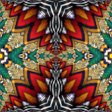
Kaleider Plus is a free Android application designed for multimedia enthusiasts, specifically focusing on digital photo tools. This app allows users to create stunning kaleidoscopic images and mirror effects using any JPEG or PNG file as the source. With features such as tile shifting, 3D mirrors, and automated motion, users can easily manipulate images to produce unique visual experiences. The app is equipped with an extensive library including various types of kaleidoscopes and mirrors, ensuring a diverse range of creative possibilities.

The interface is user-friendly, enabling quick actions with easily accessible buttons. Users can save their creations in JPEG or PNG formats and enjoy interactive features like pinch-to-zoom and continuous motion effects. Additionally, Kaleider Plus includes a music player that enhances the visual experience. With 113 effect varieties available, users can generate random effects or select specific ones to suit their artistic vision.

Enlarged image for Kaleider Plus
Kaleider Plus 0/1

Used Kaleider Plus for Android?


Explore More


Full Specifications

GENERAL
Release
Latest update
Version
5.5
OPERATING SYSTEMS
Platform
Android
Operating System
Android 15.0
POPULARITY
Total Downloads
34
Downloads Last Week
0

Report Software

Program available in other languages


Last Updated


Developer’s Description

Create kaleidoscope, mirroring, 3D mirroring and funneling effects.
The Kaleider Android app makes it possible to experience much of the visual magic of the full Kaleider PC program on an Android device. It generates an amazing variety of Kaleidoscopes, Mirrors, 3D Mirrors and Funnels. Any JPEG or PNG image can be used as the source for effects. Here is a summary of the primary features:** Render Effects - Instantly generate a random effect, or select a particular effect from among the 113 included varieties (12 Kaleidoscopes, 41 Rectangular Mirrors, 33 Diamond Mirrors, 11 3D Mirrors and 16 Funnels). The previously rendered effect can be re-rendered with the same parameters at its original position, and it's also possible to re-render the last effect with random variations. ** Save Effects - Rendered effects can be saved onto your SD card as JPEG or PNG images.** Tile Shifting - Touch and drag the screen to interactively shift rendered effect tiles. Pinch with 2 fingers to zoom in/out.** Wander - Applies continuous automated motion to effect tiles.** 3D Rooms - Exhibits patterns in 3D perspectives, covering the walls, ceilings and floors of various Rooms. The Rooms can be navigated via keyboard commands, or automated Roaming motion can be activated.** Non-Flat Surfaces - Maps effect tiles onto a variety of curved surfaces, resulting in non-linear distortions of the patterns.** Colors - Progressively shifts the colors of effect pixels according to selectable methods.** Automatic Effects - Continuously generate random effects, periodically changing the source image. Wandering motions, 3D rooms, non-flat Surfaces and Colors might also be randomly activated depending upon configured options.** Music Player - Kaleider effects can optionally be accompanied by music chosen from the audio files stored on your device. ** Options - Buttons are available to quickly perform most actions. The appearance of buttons can be toggled off to allow more screen area for displaying effects. All functions

Download.com
Your review for Kaleider Plus
Download.com

AI Assisted Content Disclosure

Content created and reviewed by Softonic with information obtained from Whizical, using AI.

CNET's editorial team was not involved in the creation of this content. Opinions, analysis and reviews were not provided by CNET.