Corel PhotoImpact for Windows
- By Corel
- Trial version
- User Rating
Used Corel PhotoImpact for Windows?
Editors’ Review
Corel PhotoImpact remains a familiar name in multimedia image editing, offering a straightforward workspace for enthusiasts. It highlights accessible photo adjustments, basic graphic design, and creative visual tweaks, appealing to users seeking practical editing tools without navigating complex professional environments or extensive menus online today.
Top Recommended Alternative

For many creators, Corel PhotoImpact offers a balanced experience between creative flexibility and manageable editing tools. The program supports everyday multimedia design tasks such as image correction, graphic composition, and layout preparation. While newer editing platforms may provide more advanced automation, it remains appreciated for its reliable editing workflow and approachable design interface.
The program offers a versatile set of photo editing, image correction, and visual design tools suitable for everyday creative projects. This app allows users to adjust colors, apply effects, and build layered graphics without requiring extensive design experience. Its strength lies in delivering practical editing functions that stay approachable for beginners while still supporting more detailed visual adjustments when needed during creative workflows.
Accessible image editing and creative tools
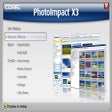
One of the program’s most appreciated aspects is its organized interface, which groups editing panels, preset effects, and layer tools in a way that supports efficient editing sessions. It helps users navigate projects through a clear layout that simplifies adjustments and composition work. The layer-based workflow and guided tools make it comfortable for users transitioning from basic editors, though some interface elements may feel slightly dated.
During typical editing sessions, the tool maintains stable performance with responsive image processing, filters, and retouching tools for standard graphic work. Corel PhotoImpact handles common editing tasks like visual effects, layout adjustments, and enhancement controls efficiently. While newer editors may introduce advanced automation or AI-driven editing, the program continues to deliver dependable results for traditional photo enhancement and creative design projects.
Pros
- Practical photo editing tools
- Layer-based editing workflow
- Stable image processing
Cons
- Interface feels slightly dated
- Limited modern automation
Bottom Line
A reliable classic for image editing
Overall, Corel PhotoImpact remains a practical choice for users seeking dependable photo editing, graphic creation, and visual design tools. Corel PhotoImpact provides a stable editing environment that supports everyday creative tasks without overwhelming users with complicated workflows. While newer software introduces more advanced automation and AI-driven tools, the program’s approachable interface, reliable performance, and accessible features continue to make it suitable for straightforward multimedia design and image enhancement projects.
What’s new in version 13
- The final release introduced refinements to editing tools and stability improvements for general image processing tasks
- Minor adjustments improved compatibility with contemporary image formats and editing workflows
Corel PhotoImpact for Windows
- By Corel
- Trial version
- User Rating
Used Corel PhotoImpact for Windows?