Used Color Touch Effects for Android?
Editors’ Review
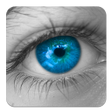
With Color Touch Effects you can make images more interesting by turning them to black and white and then restoring color only to the subject or to certain elements to which you want to draw attention. This app also features several nice effects you can add after the coloring.
Pros
Responsive controls: Color Touch Effects' brush feels responsive and enables you to color anything without too much trouble. You'll also like the smooth two-finger zoom in and zoom out, which makes the coloring of small parts of the image almost effortless.
Nice effects: There are about 20 or so effects, including Sepia, Contrast & Brightness, and Thermal, and many of them have sliders, allowing you to fine-tune the final look of the image.
Handy captions feature: You can choose from five different fonts as well as customize the font color and size through responsive finger gestures. Adding a caption takes only a few taps.
Cons
Not indispensable: Most image editing apps for Android let you change the colors of an image and add effects, and quite a few of them provide more options than this one. Since this app doesn't have anything else to offer apart from easy photo sharing, you probably don't really need it.
Bottom Line
Color Touch Effects works well, but offers limited functionality. It doesn't try to be a complete image editing tool, only to help you color parts of an image and add effects, which it does well enough. If you don't expect more from it, then it's a worthwhile download.
Used Color Touch Effects for Android?
Explore More

Sponsored
Adobe Stock
Trial version
Droid Screenshot Free
Free
BettrFlickr
Paid
Support IPL RPS Team DP Maker
Free
Markup Pro
Paid
Cha Eun woo Lockscreen HD 4K
Free
Fractal Imaging Free
Free
Easy GIF Maker
Free
PicFace Celebrity Matchup
Free
Android Photo Widget Free
Free
Paint and Color by Number
Free
PDF Reader Pro - Annotate, Edit, Fill Forms & Sign
Free