Used Color Lines for Windows 10 for Windows?


The Download Now link directs you to the Windows Store, where you can continue the download process. You must have an active Microsoft account to download the application. This download may not be available in some countries.

Editors’ Review

Download.com staff
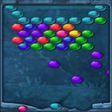
This is the classic Color Lines puzzle. Arrange balls of the same color into lines of five or more on a 9x9 grid. An unsuccessful move adds three new balls, eventually filling the board to end the game.
Enlarged image for Color Lines for Windows 1…
Color Lines for Windows 10 0/1
  • Pros

    • Features a standard 9x9 game board
    • Utilizes seven distinct ball colors for matching
    • Requires lines of at least five same-colored balls
    • Successful matches grant the player an extra turn
    • Unsuccessful moves add three new balls to the board
  • Cons

    • No different game modes are described
    • Lacks options to customize board or color settings
    • No mention of an undo move feature
    • Does not specify high score or progress tracking
    • No difficulty level adjustments are mentioned

Used Color Lines for Windows 10 for Windows?


Explore More


Full Specifications

GENERAL
Release
Latest update
Version
0
OPERATING SYSTEMS
Platform
Windows
Operating System
Windows 10
Additional Requirements
None
POPULARITY
Total Downloads
573
Downloads Last Week
0

Report Software

Program available in other languages


Last Updated


Developer’s Description

By fast-soft.de
Play the classic Color Lines puzzle game.
It is classic Color Lines. The game starts with a 9x9 board with three balls chosen out of seven different colors. If the player does form such lines of at least five balls of the same color, the balls in those lines disappear, and he gains one turn, i.e. he can move another ball. If not, three new balls are added, and the game continues until the board is full.

Download.com
Your review for Color Lines for Windows 10