Used Blackmagic Disk Speed Test for Mac?
Editors’ Review
Blackmagic Disk Speed Test is a utility that measures storage drive write and read throughput using large sequential data blocks. It initiates continuous read/write cycles after activation, recording transfer speeds in real time. Results are displayed through dual-speed gauges and a video-capability matrix that correlates measured bandwidth with specific resolution and codec benchmarks.
Top Recommended Alternative
Blackmagic Disk Speed Test performs repeated stress-style tests to capture sustained hardware disk performance rather than short-burst speeds. All measurements are presented numerically in megabytes per second alongside dynamic bi-directional visual indicators that update automatically during each continuous test cycle for analysis.
This program takes advantage of advanced computer technologies like Apple Metal, OpenGL, and CUDA. This makes sure it performs well on a variety of computer setups. It's particularly useful for professionals in the film and TV industries. These users need to be sure that their systems can handle the intense demands of video editing and production work.
Precision testing
The Blackmagic RAW Speed Test doesn't just measure system performance; it also supports a consistent bitrate. This feature adjusts the quality of the video to maintain stable data speeds, even when recording to slower media. This capability is crucial for professionals who work with different types of recording media under varying conditions.
Moreover, the program manages 3D LUTs without altering the original media file. This is essential for post-production processes where color settings may need to be adjusted from one project to another. It ensures that the 3D LUT applied during a shoot is included with the media file, allowing color grading changes without loss of quality.
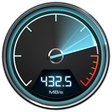
Blackmagic Disk Speed Test launches with a dialog sporting two rotary speed gauges, one for reads and the other for writes. Below those two dials, there's a checklist of features. On the first run, it writes a large block of data to the selected drive to test write speed, then reads it back and reports the results. When left on your machine, it continues to perform intermittent read-write tests of the drive and report performance changes over time. Since performance changes with disk fragmentation and capacity, as well as general deterioration of drive mechanisms as they age, this can be a useful diagnostic.
Pros
- Continuous sequential write and read testing
- Real-time speed gauges with numeric values
- Video format capability matrix
- Direct selection of mounted volumes
Cons
- No random-access performance testing
- No exportable test reports
Bottom Line
Verified speed
Blackmagic Disk Speed Test works exactly as described and didn't cause any issues in our testing. The visual speed display and text results provide a constant report as to the health of your drives. If you work with real-time video or audio applications, knowing that your drives can keep up is critical. The only negative about this app is the way you choose the drives to test, but that will likely be improved.
What’s new in version 3.4.2
- Improve consistency across read tests
Used Blackmagic Disk Speed Test for Mac?
Explore More

OS X 10.6 Snow Leopard
Paid
Soundflower
Free
OmniDiskSweeper
Free
KeyboardCleanTool
Free
Mac OS X El Capitan
Free
Stellar Eraser for iPhone
Paid
Stellar Drive Monitor
Free
CloudXena IMAP Email Backup Tool
Demo
DRS Softech Pegasus Mail Converter for Mac
Demo
DRS Softech EPUB File Converter Tool for Mac
Demo
MacSonik Mac Cleaner Pro
Demo











