Axara Audio Converter for Windows
- By Axara
- Trial version
- User Rating
Used Axara Audio Converter for Windows?
Editors’ Review
If you simply want to convert a funny WAV clip or a cool song in OGG into an MP3 that you can play on a smartphone or similar device as well as share with friends, Axara Audio Converter belongs on your short list, especially since you can try it free for 30 days, though the trial version only converts 30 percent of a file.
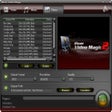
Axara Audio Converter's attractive, cleanly-rendered user interface takes its styling cues from Microsoft's Office suite, with a Start button menu and Ribbon-style toolbar that has four background color options. As Axara's documentation describes, it's designed to be "absolutely simple" in setup and operation, and its toolbar reflects the effort: On the Formats tab, a series of buttons labeled 'To MP3," "To WMA," "To AAC," and so on left no doubt as to which format we were converting files into. First we needed some files to convert, so we clicked the Files tab, set our Output Directory, and browsed to some beefy WAVs we wanted to cut down to size by converting them into MP3s. Axara Audio Converter lets you customize the audio settings, if you want to, and save it as a Profile. Axara Audio Converter supports high-definition audio, including 192KB/44100Hz, and there's a handy Tag Editor, too.
But despite its hidden talents, Axara Audio Converter is still mostly about converting tunes with an absolute minimum of fuss, and at that it excels. Its point-and-click easy and blazing fast, and also free to test, so it's well worth trying.
Editors' note: This is a review of the trial version of Axara Audio Converter 3.3.1.
What’s new in version 3.3.1
- New GUI interface
- New conversion core
Axara Audio Converter for Windows
- By Axara
- Trial version
- User Rating
Used Axara Audio Converter for Windows?
Explore More

Sponsored
Adobe Stock
Trial version
Nevo PSP Suite 2008
PaidPower Audio CD Grabber
Trial versionAAC2WMA
Free
MP3AC3
FreeEym Audio Watermark Command Line Utility
Trial version
PeonySoft WMA Converter
Trial version
OJOsoft MP3 Converter
Trial versionBlaze Video Magic
Trial versionMusic DVD Creator
Trial versionCD BurnRip
Trial versionizi-Course Seven
Paid