CNET Editors' review
iCash bills itself as a simple program, a financial management tool for people who don't know anything about accounting. Unfortunately, the program did not seem to bring either intuitiveness or outstanding features to the table, making it a pretty mediocre choice among similar programs.
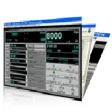
iCash's interface looks nice enough, with attractive buttons and tabs that organize its main features. However, the way that the program attempts to organize things--both accounts and transactions--doesn't always make sense. The program comes with a 13-page Word document Help file, and it does seem that with careful studying a user could figure out how iCash works. But we've seen plenty of similar programs that are obvious right off the bat, and we're not sure there's anything particularly interesting about iCash that would make us want to put in the effort. The program does lets users import transactions from their banks, which is helpful and easy enough to do. But once we'd imported our transactions, we weren't sure what the point was. The program comes with predefined expense categories, but there wasn't any obvious way to assign each transaction to a category. Overall, we felt that iCash needlessly complicated something that other programs do in a much more intuitive way.
iCash is free to try, but the trial version has a 100-transaction limit and a nag screen. It installs and uninstalls without issues. We do not recommend this program; there are many better options available.
Publisher's Description
From Maxprog:
iCash is a software intended to control your personal finances, keeping track of incomes, expenses, credits, debts and Banks transactions for you. As simple as creating the accounts you need and move money between them. You don't even need to know about accounting or even care about it. Your finances depend largely on good organization that lets you know where your money comes from and to where it goes. iCash is an easy-to-use, full featured and multi-purpose Personal Finance Manager tool intended to help you control all kinds of money issues. iCash can serve several small accounting needs for either private users, or clubs, associations, self-employed, small businesses or simply to be used at home, making keeping track of incomes, expenses and Banks transactions a snap. With a few clicks you can begin creating accounts and making transactions in minutes. Available in English, German, French, Swedish, Italian, Spanish, Dutch, Russian and Portuguese.
What's new in this version: Version 7.4.3 favorites sorting by Project/Comment has been fixed and SQL engine has been updated in order to enhance stability, speed and file security.
More Popular Accounting & Billing Software downloads
- QuickBooks Simple Start Free Edition
3,280 downloads
- Express Invoice
1,340 downloads
- Excel Invoice Template
1,261 downloads
- PeachTree Complete Accounting
1,080 downloads
- Express Accounts Free Accounting Software
673 downloads
-
All versions:
2.5 starsout of 2 votes
-
Current version:
0 stars Be the first to review this product -
My rating:
Write review
Results 1-2 of 2
-
"Ideal for keeping track of your money & budget"
Version: iCash 5.2
Pros
Easy to start using straight from download. Many of the categories of expenditure already entered. Easy to add your own catagories or change those offered. Will definitely buy it,
Cons
Comparing the budget with actual doesn't seem as straight forward as I'd hoped, but have only spent a couple of hours with it so far. Being from the UK, I need to find someone who takes pounds or dollars. Euro's are hopeless for us at present.
-
"No Help Files - User Unfriendly"
Version: iCash 2.0.2
Summary
Trial version contains no help files. Has a goto loop when you try to create, for example a checking account for yourself, that takes you back to "trail version is limited to...", thus not allowing you to create a checking account with a balance. If you can't make it work for you, in a few minutes, without using help files, then it's user unfriendly.
Add Your Review
Submit your reply
E-mail this review
Report offensive content
See more CNET content tagged:
Previous Versions: