Used eZ-Frame for Windows?


eZ-Frame Analysis

AI Assisted Content ·

Not written by CNET Staff.

eZ-Frame is a free Windows application designed for creating personalized screensavers and wallpapers. This program allows users to display their images in a slideshow format, providing a refreshing visual experience. It supports various image formats, enabling users to curate their favorite photos or artwork for display on their desktop.

Top Recommended Alternative

The software features an intuitive interface that simplifies the process of setting up a screensaver. Users can easily select images, adjust transition effects, and set display intervals. Additionally, eZ-Frame offers options for customizing the slideshow behavior, such as randomizing the order of images and enabling or disabling captions. Overall, eZ-Frame is a versatile tool for anyone looking to add a personal touch to their Windows screensaver.

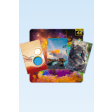
Enlarged image for eZ-Frame
eZ-Frame 0/1

Used eZ-Frame for Windows?


Explore More


Full Specifications

GENERAL
Release
Latest update
Version
1.1
OPERATING SYSTEMS
Platform
Windows
Operating System
  • Windows XP
  • Windows 2003
  • Windows 7
  • Windows Server
  • Windows Vista
  • Windows 10
Additional Requirements
Microsoft .NET Framework 3.5
POPULARITY
Total Downloads
760
Downloads Last Week
0

Report Software

Program available in other languages


Last Updated


User Reviews

2/5

2 User Votes


Developer’s Description

View and manipulate images on your desktop.
eZ-Frame! is a desktop image/photo viewer that hovers on the screen, displaying your photos. You can change the size, position of the frame. I originally created this application for my own personal use, because i couldn't find exactly what i needed! So, eZ-Frame! was born. eZ-Frame! is lightweight. You can: Set display time in minutes Set the maximum size of the frame Drag and position the frame wherever you like; Set an image as the wallpaper with a single move; Display the image in the default image viewer with a single move; Find the image file with a single move. New in version 1.1: Added facebook connectivity. Now you can upload a photo to your facebook profile with just 2 clicks. Can't be done faster!

Download.com
Your review for eZ-Frame
Download.com

AI Assisted Content Disclosure

Content created and reviewed by Softonic with information obtained from eZ-worX, using AI.

CNET's editorial team was not involved in the creation of this content. Opinions, analysis and reviews were not provided by CNET.








