Publisher's Description
From ITEKSOFT:
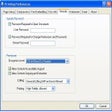
This PDF creator, writer, or converter works as a Windows printer driver in Windows 2000/XP or later. Main features include MUI (English, German, French, Spanish, Portuguese, Italian, Dutch, and Danish); auto-bookmaking by text attribute matching; PDF Merge; PDF overlay; PDF stationary; creating PDF layers; adding custom forms; PDF security (both 40-bit and 128-bit); watermark support (text, image, compound with PDF 1.4 transparency); live URLs; fast Web view.
What's new in this version: Version 6.80 Build 6067 adds an UI option, registry setting, and command EmailDraftboxPath for allowing Outlook to save items in the folder path assigned instead of the default "Drafts" folder when the email is not sent.
More Products to Consider
- Take an open-source approach to office productivity.Download
Installed
Smart Install - Convert Adobe PDF file to MS Word file format.Download
Installed
Smart Install - View, navigate, and print PDF files.Visit Site
This download is served from an external site
closeNOTICE: This link will open a connection to a third-party site. CNET cannot ensure the security of software that is hosted on external sites.
Sponsored Products
- Open, edit, and save files using the new file formats in 2007 v...Download
Installed
Smart Install - Create and share content with the help of a comprehensive set o...Visit Site
This download is served from an external site
closeNOTICE: This link will open a connection to a third-party site. CNET cannot ensure the security of software that is hosted on external sites.
Sponsored Products
- Create Adobe compatible PDFs from over 300 applications, print ...Download
Installed
Smart Install - Convert PDF files to Microsoft Word format.Download
Installed
Smart Install - Print to PDF from Windows applications and optimize the PDF out...Download
Installed
Smart Install - Keep track of how you use your PC.Download
Installed
Smart Install - Create PDF file from any windows file effortlessly.Download
This download is served from an external site
closeNOTICE: This link will open a connection to a third-party site. CNET cannot ensure the security of software that is hosted on external sites.
Sponsored Products
Installed
Smart Install - Create, view, edit and share word, spreadsheet and presentation...Download
Installed
Smart Install - Convert files to PDF format and convert PDF files to Word forma...Download
Installed
Smart Install - Create and write PDF files as well as convert other files to PD...Download
Installed
Smart Install - Create, manage, and collaborate with others on presentations.Visit Site
This download is served from an external site
closeNOTICE: This link will open a connection to a third-party site. CNET cannot ensure the security of software that is hosted on external sites.
Sponsored Products
- Create, convert, and collaborate with better PDF for business.Download
Installed
Smart Install - Develop your own custom solutions visualizing various data.Download
This download is served from an external site
closeNOTICE: This link will open a connection to a third-party site. CNET cannot ensure the security of software that is hosted on external sites.
Sponsored Products
Installed
Smart Install - Merge images to PDF and convert from JPEG, JPG, BMP, GIF, forma...Download
Installed
Smart Install - Convert JPG, BMP, TIFF, PNG images to PDF files.Download
Installed
Smart Install - Change multiple picture scans files into PDF pages.Download
Installed
Smart Install - Create, encrypt, and merge PDF files.Download
Installed
Smart Install - Deliver professional PDF communications; share information more...
- Render PDF files within applications that support the print fun...Download
Installed
Smart Install - Create PDF from image easily.Download
Installed
Smart Install - Create PDF and PDF/A documents from any Windows program.Download
This download is served from an external site
closeNOTICE: This link will open a connection to a third-party site. CNET cannot ensure the security of software that is hosted on external sites.
Sponsored Products
Installed
Smart Install
-
All versions:
3.5 starsout of 6 votes
-
Current version:
0 stars Be the first to review this product -
My rating:
Write review
Results 1-5 of 5
-
"Version Muck Up"
Version: eDocPrinter PDF Pro 6.68 Build 5772
Pros
Versatile PDF creator, works well.
Cons
The websites at Cnet and Iteksoft show v6.68.
I had trouble downloading 1 to 2 years ago, emailed them and got a link to version v6.77 which is currently installed.
No sign of it on either websites.Summary
Iteksoft's download links need to be updated more often
-
"Great software for PDF file creation"
Version: eDocPrinter PDF Pro 6.68 Build 5772
Pros
-create PDF files from any software
-files can be encrypted
-files can be protected so they cannot be altered
-automatically picks a file name for a series of files
-has a free versionCons
Can't think of any now
Summary
Great tool to automatically create files with the correct file name.
-
"Excellent Secure PDF Creator"
Version: eDocPrinter PDF Pro 6.16.3902
Summary
This review was originally posted on VersionTracker.com.
This inexpensive application does most of the important things that Acrobat does, at far less the price. I create PDF documents from any printable Windows application, inclucing password protection, usage control, watermarks, stamps, encryption, etc. -
"Recommend to try yourself"
Version: eDocPrinter PDF Pro 6.05
Summary
This review was originally posted on VersionTracker.com.
A PDF printer driver with rich options and flexible settings,
from link, encryption, to bookmark and forms ... -
"Good PDF creation, but little else"
Version: eDocPrinter PDF Pro 6.05
Summary
This review was originally posted on VersionTracker.com.
eDocPrinter PDF Pro (there's a mouthful!) is a good PDF creation tool, but offers little else for its users. pdfFACTORY Pro costs more because it's better than Adobe â?? and loaded with features and options that give the user complete control over how their document will appear and print. eDocPrinter PDF Pro does none of this. There are free PDF creation tools that will give you what eDocPrinter PDF Pro does, so skip this turkey and move on, and if you really want PDF done well, check out pdfFACTORY Pro by FinePrint (www.fineprint.com) and its accompanying FinePrint software app â?? you won't regret it, and you'll thank me later.