XML Marker
Publisher's Description
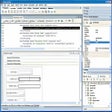
From Symbol Click: XML Marker is an XML and Json Editor that uses a synchronized table-tree-and-text display to show you both the hierarchical and the tabular nature of your XML data. It automatically produces a tabular display of any selected tag by collecting repeating attribute and tag names and then arranging them into columns. The result is a clutter-free and informative tabular display. The implementation is very efficient in memory and CPU resources so you can quickly navigate through very large XML files - up to about 500 megabytes. More features include table sorting, syntax-highlighting editor, automatic indentation/pretty-printing of exiting code, drill down, as-you-type syntax checking, bookmarks, convert to spreadsheet, Branch Selector, non-collapsing editing and more. XML Marker have full internationalization support with both Unicode/utf-8 and code page encoding.
All User Reviews
-
Current version:
0 stars Be the first to review this product -
All versions:
4.5 starsout of 35 votes
-
My rating:
Write review
-
"The only XML tool mere mortals need"
Version: XML Marker 2.1
Pros
Simple, intuitive, instructive
Cons
Doesn't generate sample xml from xsd.
-
"great for readng .xml files"
Version: XML Marker 1.1
Pros
makes xml coded files easy to read
Cons
0000000000
Summary
0000000000
-
"Freakin' awesome."
Version: XML Marker 1.1
Pros
Formats the reprehensible look of an XML file opened in NotePad.
Cons
Have yet to find one, it did what I needed it to do.
-
"Simple yet effective and powerful for a novice"
Version: XML Marker 1.1
Pros
This allowed me to see the complex structure of how Media Player and iTunes Playlist were setup. Particularly for iTunes Smart Playlist I was able to merge separate playlist into one that when imported became separate playlist as originally intended.
Cons
It has not been updated for years but still does the job intended.
'Replace All' flaw. When replacing "Test" to "New Test" it did not stop at the bottom but kept going till it crashed. Use 'Replace All' only on 'selection' not 'whole file'Summary
The bottom line is though it is not the most advanced and not perfect It will do more than the basics. It will also point out flaws and mistakes in your coding.
Another user mention that it's not able to understand special coding ie <r�sum�>. This may have more to do with ANSI and UNICODE text saving options. Copy some special character in to Notepad. Save it as UNICODE than re-save it as ANSI you will see similar results. ANSI is only made up of 256 characters.
As it's free definitely get it. If you have to pay for it it's still worth it. -
"Excellent XML viewer"
Version: XML Marker 1.1
Pros
Elegant user interface that was easy to understand. Good use of icons and colour to show meta data.
Cons
Table views do not display multiple occurrences of the same sub-tag under other parent tags.
Summary
Excellent value and particularly well-designed for a free product.
-
"Saved my life"
Version: XML Marker 1.1
Pros
This tool allow you to see in a graphical way the structure of XML data, it's very helpfull when working with large XML files. you can indent "flat" xml files easily and validate your XML validation as you type.
Cons
The editor has a couple of minor issues but not a big deal. I also would like to see the option "Locate in tree" in the context menu (right-click) of the editor and would like to see "line numbers" next to each xml line.
Summary
I needed to understand the structure of a large XML file in order to develop a program to create a compatible xml file, thanks to the visual aids of this tool I was able to understand the logic behind the xml file I was researching. If you need an XML editor this tool is a must.
-
"Everything in the XML in one window"
Version: XML Marker 1.1
Pros
Small download. Easy install. Great interface. Has more than I was looking for!
Cons
The scrolling in the different panes is a little strange. but not enough to degrade the usefulness
Summary
I was looking for a prorgram that put the items into a table or some sort of form, which is exactly what this does. PLUS is highlights the actual XML code for the structure AND tag you are looking at. VERY handy!
-
"Very effective and easy to use"
Version: XML Marker 1.1
Pros
Ease of use
Cons
None that I have found.
Summary
Great product would recommend to anyone
-
"Best Free XML Viewer"
Version: XML Marker 1.1
Pros
Simple, easy to use, low resources, make XML more readable, very useful, and of course I like it. Highly recommended.
Cons
No comment.
-
"not good enough"
Version: XML Marker 1.1
Pros
- nice interface
Cons
- can't handle special characters in the tags. for example, <résumé> is considered an error
- when you start typing, the editor recalculates the whole thing and the text scrolls by itself, so you don't see what you're typingSummary
needs more work
Add Your Review
Submit your reply
E-mail this review
Report offensive content
What's new in version 2.2
Version 2.2:
- Able to read and write documents in code page encoding. The document encoding is auto detected and you can manually set it using options/character encoding.
- Go to line dialog: ctrl+g
- Indent bug fixes
- Stability bug fixes
General
- Download Type:
- CNET Secure Download
- Publisher
- Symbol Click
- Publisher Web Site
- http://symbolclick.com
- Release Date
- February 08, 2012
- Date Added
- March 04, 2013
- Version
- 2.2
Category
- Category
- Developer Tools
- Subcategory
- XML Tools
System Requirements
- Operating Systems
- Windows 7, Windows 2003, Windows 2000, Windows 8, Windows Vista, Windows XP, Windows Server 2008
- Additional Requirements
- Not available
Download Information
- File Size
- 642.73K
- File Name
- xmlmarker_2_2_setup.exe
Popularity
- Total Downloads
- 409,586
- Downloads Last Week
- 611
Pricing
- License Model
- Free to try
- Limitations
- 30-day trial
- Price
- $125.00
Previous Versions
More Products to Consider
- Offer bug fixes for previous released of MSXML 3.0 SP.Download
Installed
Smart Install - Modify and examine the contents of an XML file.Download
Installed
Smart Install - Edit XML files with an editor that uses a synchronized table-tr...Download
Installed
Smart Install - Edit and format your XML code documents.Download
Installed
Smart Install - List parsing errors as you type to ensure that your document is...Download
Installed
Smart Install - Transform XML, XBRL, and database data into HTML, RTF, PDF, and...Download
Installed
Smart Install - Offer server-safe components and improve previous versions of M...Download
Installed
Smart Install - Convert ODBC or Microsoft Office data to XML format.Download
Installed
Smart Install - Edit, transform, and debug XML-related technologies.Download
Installed
Smart Install