CNET Editors' review
This free tool easily gathers information about your CPU, but those with less technical know-how may find it to be over their heads.
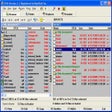
WCPUID's standard gray interface is flooded with vital information about your computer, including processor name, CPU type, L1 and L2 size and speed, and system bus. The information is neatly presented, though you won't really be ready to use any of it if you're not familiar with the terminology used. The program's incomplete help file won't offer you much assistance and lacks the ability to launch your browser for online help with definitions.
WCPUID can't create reports either, though it will capture an image of the program's output after analyzing your system and save it as bitmap file. WCPUID lets you check the clock speed of your CPU, but disappointingly, that's the only diagnostic tool available.
Novices will have to dig to understand the nuts and bolts given, but intermediate to advanced users will find it somewhat useful in collecting CPU information.

Publisher's Description
From H.Oda!:
WCPUID is a program that displays the CPU information of your personal computer. It displays the processor type, frequency, multiplier, chipset, brand, and other technical details. It also shows your system's operating system and memory, and there is an option to view details for more than one processor.
Version 3.3 may include unspecified updates, enhancements, or bug fixes.
More Popular Diagnostic Software downloads
- Advanced SystemCare Free
289,676 downloads
- CCleaner
270,105 downloads
- ARO 2012
80,974 downloads
- Toolwiz Care
19,778 downloads
- Free Window Registry Repair
9,809 downloads
-
All versions:
4.2 starsout of 4 votes
-
Current version:
4.2 starsout of 4 votes
-
My rating:
Write review
Results 1-4 of 4
-
"Works great on XP HP Computer"
Version: WCPUID 3.3
Pros
As advertised
Cons
Wished it would suggest upgrade possibilities
-
"Very Good as far as it goes."
Version: WCPUID 3.3
Pros
I found this software easy to use and for the most part easy to understand for the computers I am able to use it on.
Cons
It works on Windows XP but when I tried to run it on My Vista Computer the computer crashed. There was no warning that this program was not Vista compatible yet. With both systems in use still programs like this need to be properly labeled.
-
"OK"
Version: WCPUID 3.3
Pros
Shows precisely what your system is running on.
Cons
The vocabularly is impossible, unless your an IT nerd, you get lost pretty much straight away!!
-
"Can't go wrong with this or CPU-Z. Both do an excellent job."
Version: WCPUID 3.3
Pros
Its FREE!
It detects both Intel and AMD processors. Im sure it also detects processors from other companies as well...except PowerPC since those are Mac processors and this is a Windows program. I'd be interested to see how this program behaves on those Intel Mac machines.
Can detects more than just CPU make and model...a BOATLOAD more. RAM...frequency...this...that. I mean it will tell you everything you want to know about your processor, motherboard and RAM. Quite sweet.
Works on all Windows OS's alike...XP, 2000, 98, etc.
Cons
Needs some little popup hints here and there. So much of the information you will never understand, unless you take the time to research each term. I dont feel like doing that, thus the request for some popup hints.
Most of the information you will never use since you will never know what it refers to.
The interface is pretty fair...windows 98'ish. Both WCPUID and CPU-Z suffer from this horrible old interface. They both need an XP-refresh.
Add Your Review
Submit your reply
E-mail this review
Report offensive content
See more CNET content tagged:
Previous Versions: