Used Sweet Home 3D for Linux (64-bit) for Linux?
Sweet Home 3D for Linux (64-bit) Analysis
AI Assisted Content ·
Not written by CNET Staff.
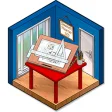
Sweet Home 3D for Linux is a free, open-source application designed for interior design and home layout visualization. This software allows users to create 2D floor plans and convert them into 3D models, enabling a comprehensive view of the designed space. Users can drag and drop furniture, modify wall colors, and experiment with various layouts easily, making it a versatile tool for both professionals and hobbyists.
Top Recommended Alternative

The application features a user-friendly interface that supports various file formats for importing and exporting designs. It also offers an extensive library of 3D models and textures to enhance the visual appeal of projects. Furthermore, Sweet Home 3D includes tools for adjusting lighting and viewing angles, ensuring that users can present their designs effectively.
Used Sweet Home 3D for Linux (64-bit) for Linux?
Explore More

mtPaint for Debian
FreePDF Secure for Linux
Trial version
MuPDF for Linux
FreeScenePainter for Linux
Free
uDig for Linux (32-bit)
FreeDia for Linux
FreeCrystal Space for Linux
FreeSeqwog for Linux
FreePDF Image Stamp Server for Linux (64-bit)
Trial version
Crystal Space Beta for Linux
Free
Digikam for Gentoo
FreeRistretto for Linux
Free