Used Stereoscope for Android?
Stereoscope Analysis
AI Assisted Content ·
Not written by CNET Staff.
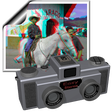
Stereoscope is a multimedia application designed for Android devices, specifically tailored for viewing stereoscopic (3D) images. This free app allows users to store and showcase their selected 3D pictures conveniently on their device. It supports various image formats, including JPG, JPS, and MPO, and is optimized for side-by-side viewing modes such as parallel and crossed-eye, making it versatile for different types of 3D content. The application automatically searches for 3D images in the designated folder on your Android device, with the default location set to "/sdcard/3D". Users can easily change this directory through the settings. Once images are located, they appear as 2D thumbnails, which can be clicked to view in full-screen 3D mode. Stereoscope also supports features like swiping to navigate between images, selecting different 3D modes, and starting an automatic slideshow, enhancing the overall user experience.
Top Recommended Alternative
Used Stereoscope for Android?
Explore More
Sponsored
Adobe Stock
Trial versionButterCam黄油相机-Filter Cutout Co
Free
Image Source Finder: Reverse image search
FreeCamera for iphone 13 Pro - iOS 15 Camera Effect
FreeHypic - Photo Editor AI Art
FreeNudia
FreeUltimate Photo Compressor Pro
FreePhoto Collage Editor Pro
FreeIndian Girls photo dress
FreeSunglasses and Hairstyle Photo Editor
FreeDroid Timelapse Pro
FreePhoto Mirror Pro -PIP Collage Frame Photo Editor
Free